


 怎樣用Python透過樹莓派采集到的溫濕度信息傳送到AWS IoT

與 IoT 相關的云端服務為數眾多,例如:ThingSpeak、WoT.City、AWS、IBM Bluemix、MediaTek MCS、Google Firebase 等,并在透過這些云端服務可在對數據進行數據可視化、數據分析與其它的應用,而本文用Python將透過 Raspberry Pi 采集到的溫濕度信息傳送到 AWS IoT。
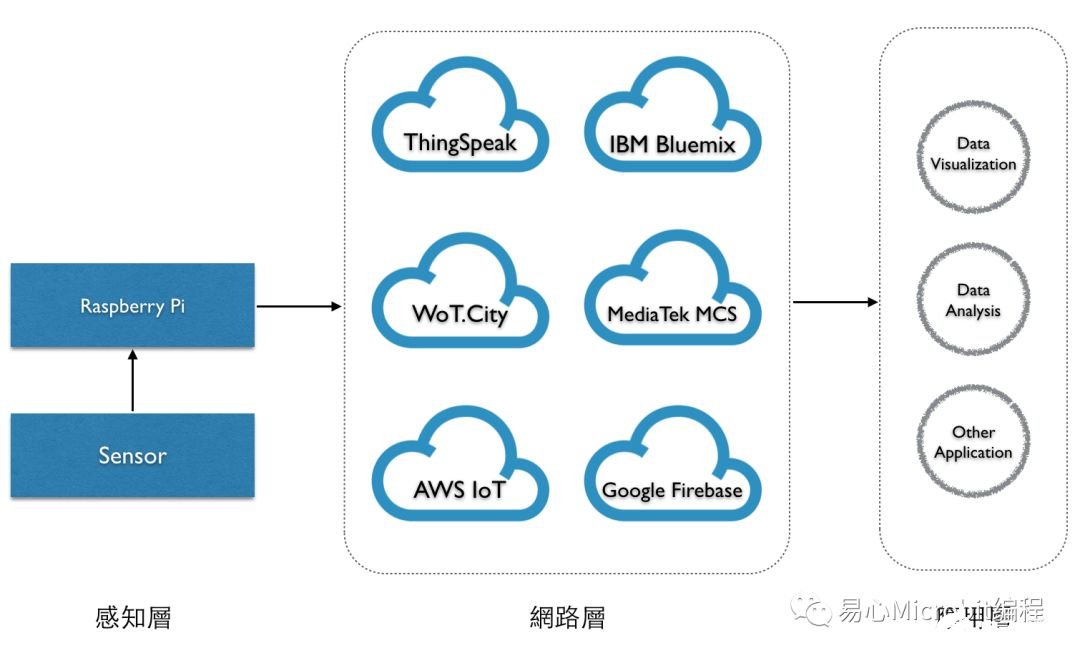
情境

材料與準備
1.準備 Raspberry Pi 3Model B 開發板
2.準備 Micro SD (已安裝 Raspbian)
3.將 Micro SD 裝入到 RaspberryPi 中
4.設定好網絡
5.安裝 GrovePi+
6.安裝 Grove – Temperatureand Humidity Sensor (D4)
7.安裝 GROVE - LCD RGBBACKLIGHT (I2C-2)
8.安裝 IDE ( Sublime Textor Visual Studio Code )
Sensor, LCD, GrovePi+ 與 RaspberryPi 連接如下圖
AWS IoT 端
Step 1. 到 AWS 網站申請賬號
Step 2. 登入 AWS 網站
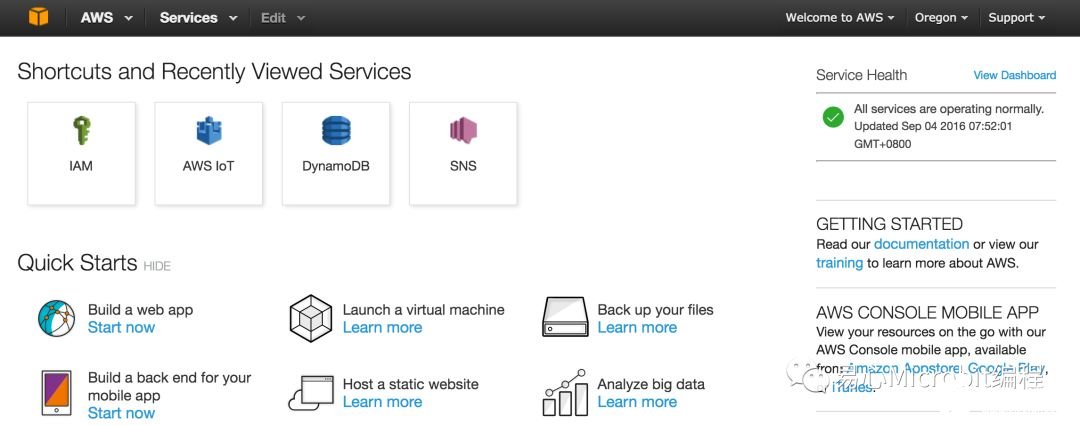
Step 3. 點擊 Services AWS IoT

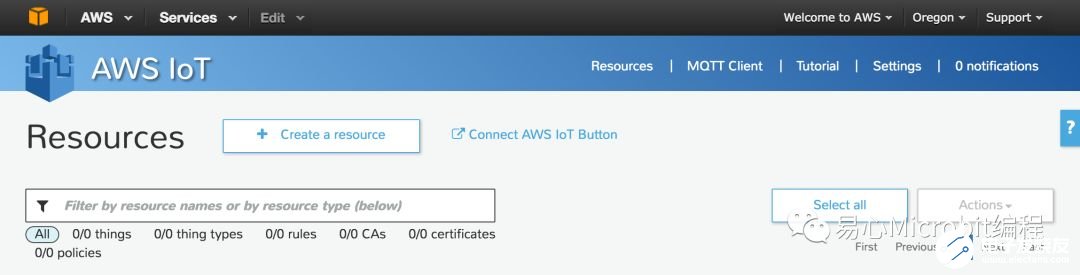
Step 4. 點擊 Create a resource
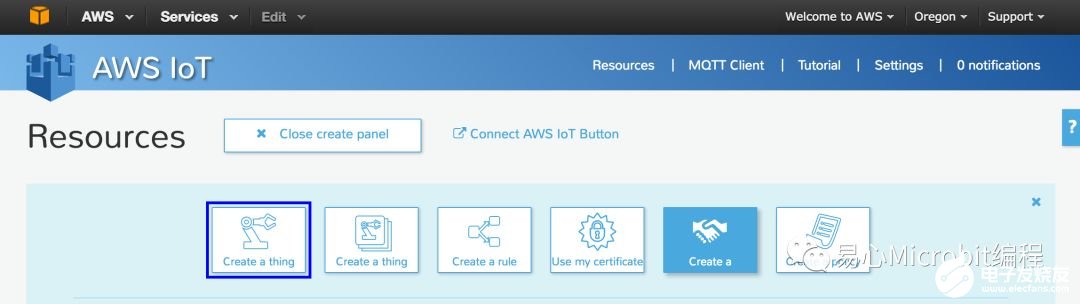
Step 5. 點擊 Create a thing 輸入 thing Name Create
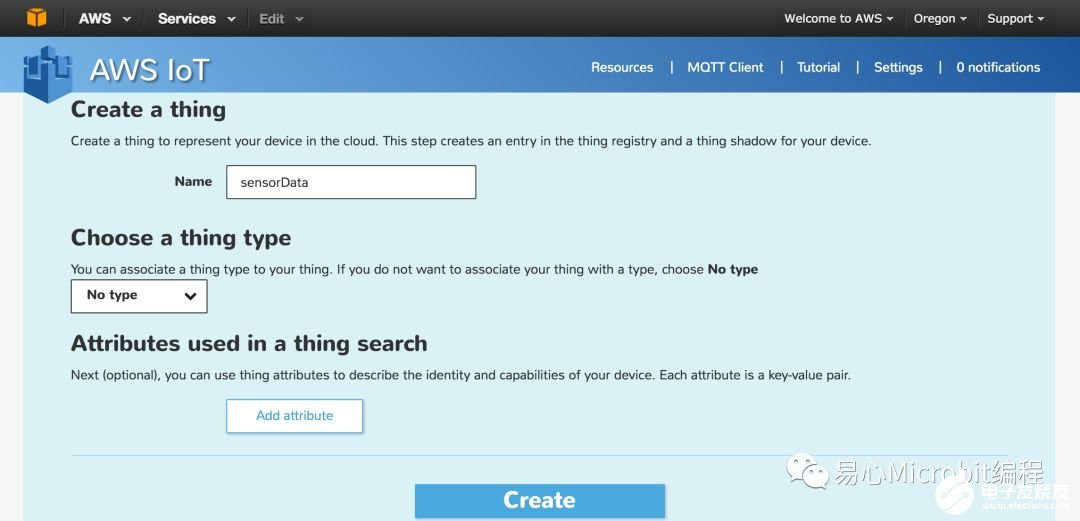
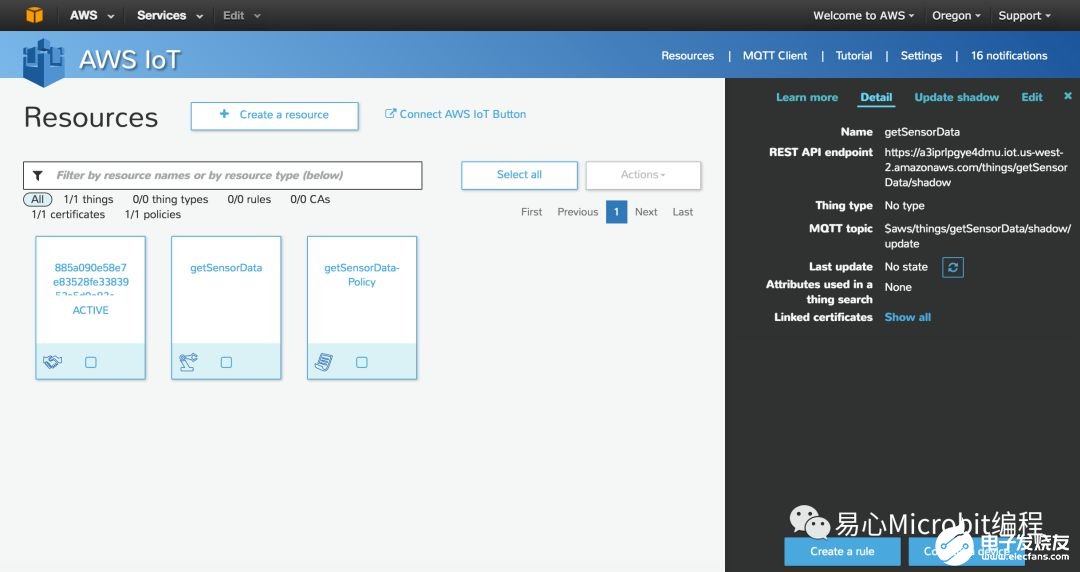
Step 6. 點擊剛建立的 thing
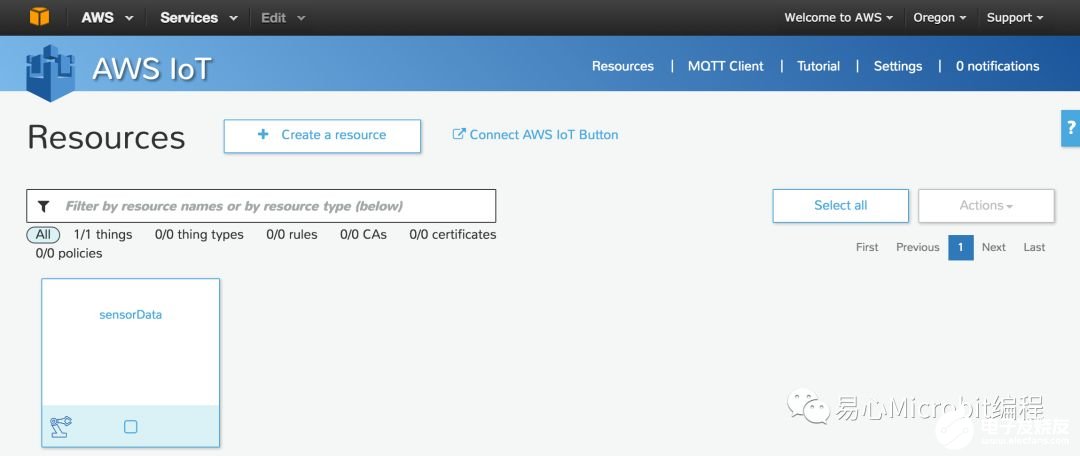
Step 7. 點擊 Connect a device
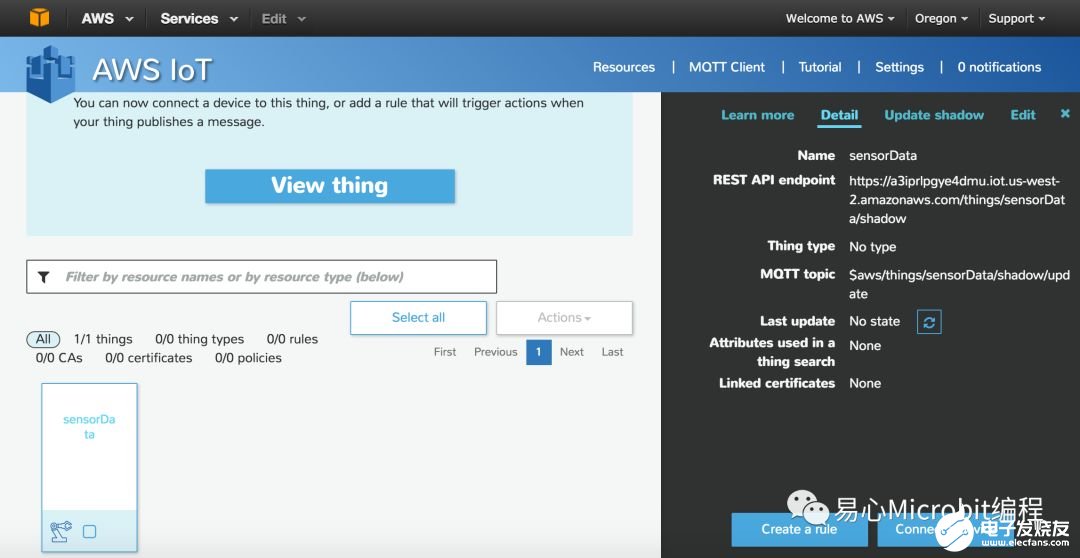
Step 8. 點擊 Node.js Generate certificate and policy
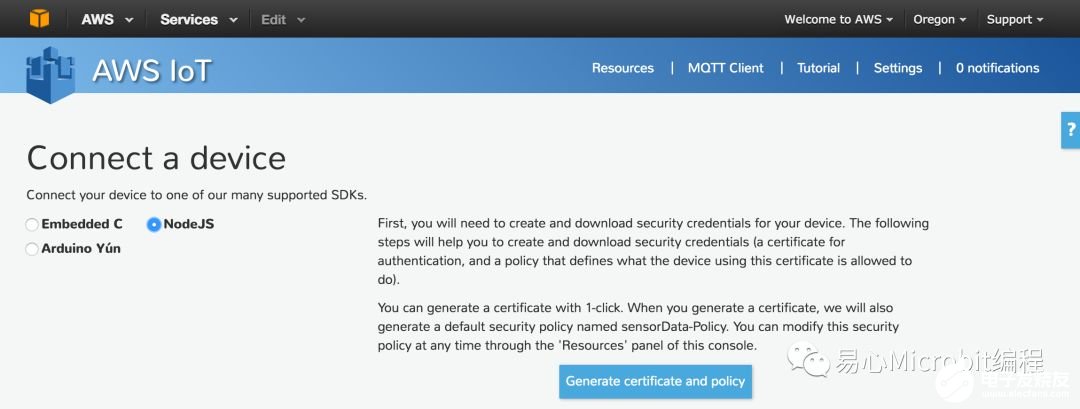
Step 9. 下載 private 與 public keys
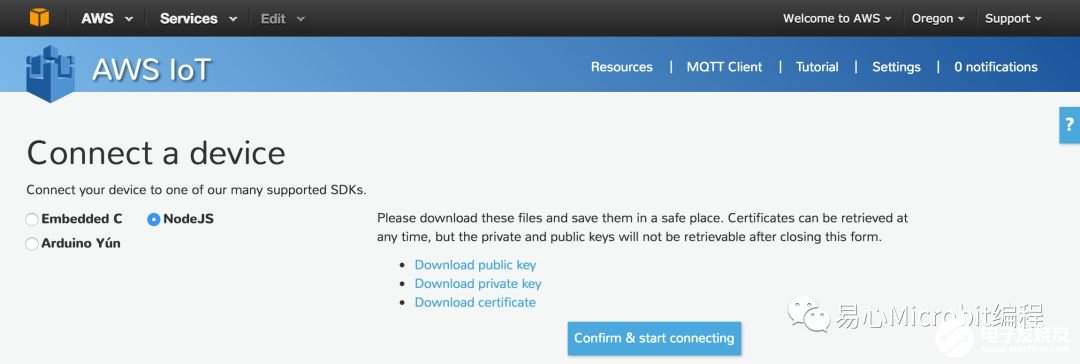
Step 10. 點擊 Confirm &connecting
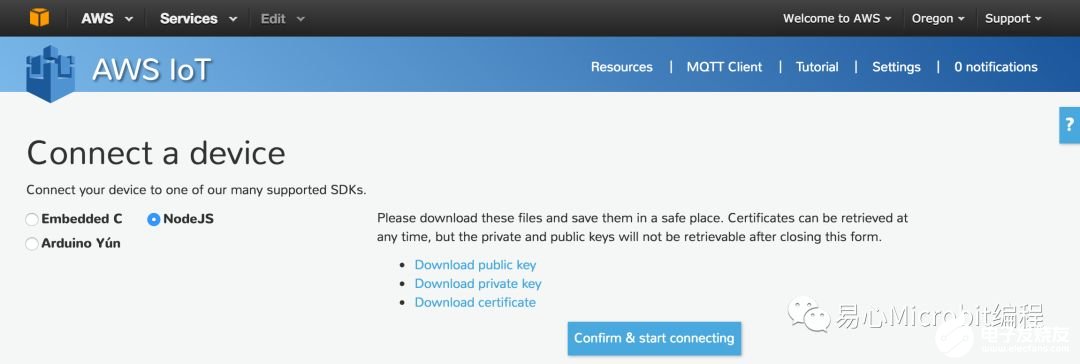
Step 11. 點擊 Return to ThingDetail

Raspberry Pi 端
Step 1. 透過 Python 讀取溫濕度信息并傳送到AWS IoT
#****************************************************
# Import Package
#****************************************************
import time
import datetime
import paho.mqtt.client as paho
import json
import ssl
import sys
sys.path.append(‘/home/pi/rpi/code/Package’)
import grovepi
from grove_rgb_lcd import *
#****************************************************
# Set Pin No, AWS Config
#****************************************************
sensor = 4
blue = 0 # The Blue colored sensor.
white = 1 # The White colored sensor.
connflag = False
#****************************************************
# Set AWS Connection
#****************************************************
def on_connect(client, userdata, flags,rc):
global connflag
connflag = True
print(“Connection returned result: ” + str(rc) )
def on_message(client, userdata, msg):
print(msg.topic+“ ”+str(msg.payload))
mqttc = paho.Client()
mqttc.on_connect = on_connect
mqttc.on_message = on_message
awshost = “a3iprlpgye4dmu.iot.us-west-2.amazonaws.com”
awsport = 8883
clientId = “sensorData”
thingName = “sensorData”
caPath = “。/root-CA.crt”
certPath =“。/000cd28455-certificate.pem.crt”
keyPath = “。/000cd28455-private.pem.key”
mqttc.tls_set(caPath, certfile=certPath, keyfile=keyPath,cert_reqs=ssl.CERT_REQUIRED, tls_version=ssl.PROTOCOL_TLSv1_2, ciphers=None)
mqttc.connect(awshost, awsport, keepalive=60)
mqttc.loop_start()
#****************************************************
# Publish AWS
#****************************************************
while True:
[temp,humidity] = grovepi.dht(sensor,blue)
print(“temp = %.02f C humidity =%.02f%%”%(temp, humidity))
t= time.time();
date = datetime.datetime.fromtimestamp(t).strftime(‘%Y%m%d%H%M%S’)
if connflag == True:
mqttc.publish(“topic/sensorData”,json.dumps({“time”: date, “temperature”: temp,“humidity”: humidity}), qos=1)
else:
print(“waiting for connection.。.”)
time.sleep(1)
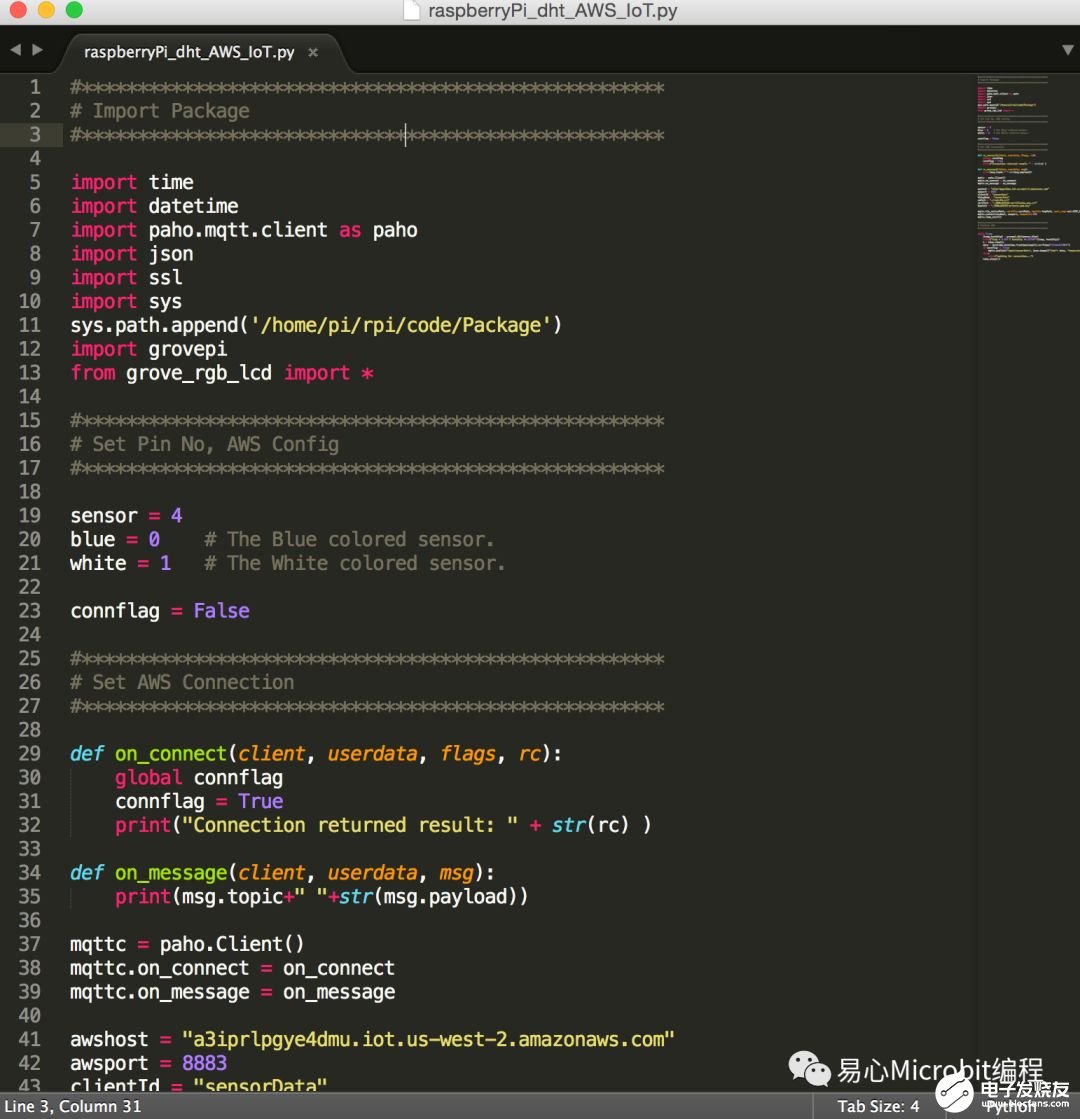
Step 2. 將 Python Code 與 Keys 傳送到 RaspberryPi
Step 3. 執行剛傳到 Raspberry Pi 中的 Python 代碼,python 檔名.py
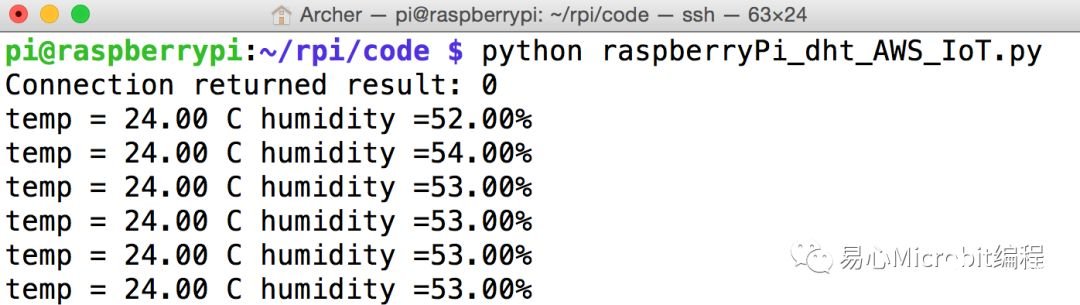
Step 4. Console 執行畫面
責任編輯:wv
-
python
+關注
關注
57文章
4876瀏覽量
90025 -
IOT
+關注
關注
190文章
4395瀏覽量
208528 -
樹莓派
+關注
關注
122文章
2078瀏覽量
110462
發布評論請先 登錄
紡織車間溫濕度數據采集遠程監控系統方案
冷庫溫濕度監控系統物聯網解決方案
用CW32F030做溫濕度采集,ADC讀數跳變超過±3LSB正常嗎?
睿擎平臺實戰:溫濕度采集到MQTT云端通信
溫濕度傳感器HTU31D在溫濕度控器中的應用優勢
基于LORA無線通訊的祥控多點式煙葉溫濕度監測系統
常見的溫濕度傳感器類型?
溫濕度變送器功能有哪些?一文詳細解析
智能倉儲:溫濕度監控方案應用

用樹莓派RP2350 DIY 桌面動態溫濕度計

LoRa無線技術的溫濕度監測預警系統

溫濕度傳感器:核心原理與跨領域應用解析
制藥車間溫濕度數據采集監控管理方案
如何操作電子溫濕度記錄儀
通過手機端遠程監控冷庫溫濕度并進行遠程控制



 工商網監
工商網監
評論