


 阿里巴巴國際站關鍵字搜索 API 實戰:從多條件篩選到商品列表高效獲客

在跨境電商數據采集場景中,通過關鍵字精準搜索商品列表是基礎且核心的需求。本文將聚焦阿里巴巴國際站的關鍵字搜索接口,詳細介紹如何構建多條件搜索請求、處理分頁數據、解析商品列表信息,并提供可直接復用的 Python 實現方案,幫助開發者快速搭建穩定高效的商品搜索功能。
一、阿里巴巴搜索 API 基礎信息
阿里巴巴國際站提供的alibaba.product.search接口是實現關鍵字搜索商品列表的核心接口,支持多維度篩選條件組合,滿足不同場景的搜索需求。
接口特點:
基于 TOP 開放平臺架構,采用統一的簽名認證機制
支持復雜條件組合搜索(關鍵字、價格、銷量、評分等)
分頁加載數據,最大頁容量為 50 條
響應包含商品基本信息、價格、賣家、銷量等核心數據
接口端點:https://gw.api.alibaba.com/openapi/param2/2.0/aliexpress.open/api.searchproduct
二、核心搜索參數詳解
1. 公共參數
app_key:應用唯一標識
method:接口名稱,固定為alibaba.product.search
timestamp:請求時間戳(yyyy-MM-dd HH:mm:ss)
format:響應格式,默認 JSON
v:API 版本,固定為 2.0
sign:請求簽名
partner_id:合作伙伴 ID(可選)
2. 核心搜索參數
keywords:搜索關鍵字(必填)
page_no:頁碼,默認 1
page_size:每頁條數(1-50)
min_price/max_price:價格區間篩選
sort_type:排序方式(price_asc/price_desc/sales_desc/rating_desc)
category_id:分類 ID 篩選
trade_assurance:是否僅保價商品(true/false)
shipping_country:目標配送國家
3. 響應數據結構
total_results:總搜索結果數
page_no/page_size:分頁信息
products:商品列表數組
filters:可用篩選條件(用于前端篩選項展示)
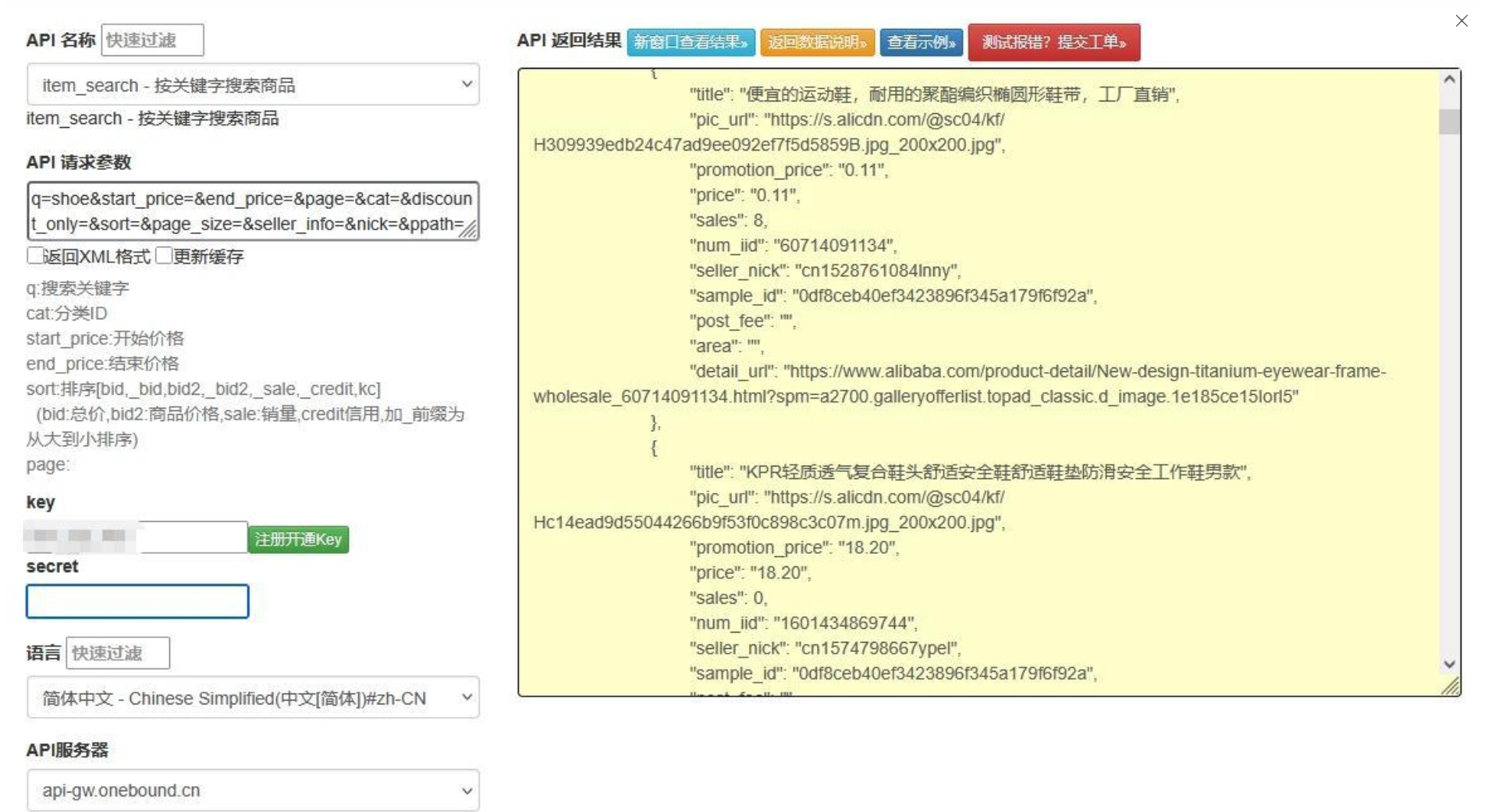
三、完整代碼實現
以下是 Python 實現的阿里巴巴國際站關鍵字搜索功能,支持多條件篩選、分頁控制和結果結構化處理:
阿里巴巴國際站關鍵字搜索接口實現

import requests
import time
import hashlib
import hmac
import urllib.parse
from typing import Dict, List, Optional, Any
from datetime import datetime

class AlibabaSearchAPI:
    def __init__(self, app_key: str, app_secret: str):
        """
        初始化阿里巴巴商品搜索API客戶端

        :param app_key: 應用的App Key
        :param app_secret: 應用的App Secret
        """
        self.app_key = app_key
        self.app_secret = app_secret
        self.api_url = "https://gw.api.alibaba.com/openapi/param2/2.0/aliexpress.open/api.searchproduct"
        self.max_page_size = 50  # 最大每頁條數

    def _generate_sign(self, params: Dict[str, str]) -> str:
        """
        生成API請求簽名

        :param params: 請求參數字典
        :return: 簽名字符串
        """
        # 按參數名ASCII升序排序
        sorted_params = sorted(params.items(), key=lambda x: x[0])

        # 拼接參數并URL編碼
        query_string = "&".join([
            f"{k}={urllib.parse.quote(str(v), safe='')}"
            for k, v in sorted_params
        ])

        # 計算HMAC-SHA1簽名
        sign_str = self.app_secret + query_string + self.app_secret
        signature = hmac.new(
            self.app_secret.encode('utf-8'),
            sign_str.encode('utf-8'),
            hashlib.sha1
        ).hexdigest().upper()

        return signature

    def search_products(self,
                       keywords: str,
                       page_no: int = 1,
                       page_size: int = 20,
                       min_price: Optional[float] = None,
                       max_price: Optional[float] = None,
                       sort_type: Optional[str] = None,
                       category_id: Optional[str] = None,
                       trade_assurance: Optional[bool] = None,
                       shipping_country: Optional[str] = None) -> Dict[str, Any]:
        """
        搜索阿里巴巴國際站商品

        :param keywords: 搜索關鍵字
        :param page_no: 頁碼
        :param page_size: 每頁條數(1-50)
        :param min_price: 最低價格
        :param max_price: 最高價格
        :param sort_type: 排序方式
        :param category_id: 分類ID
        :param trade_assurance: 是否僅保價商品
        :param shipping_country: 配送國家
        :return: 搜索結果
        """
        # 限制最大頁容量
        page_size = min(page_size, self.max_page_size)

        # 公共參數
        params: Dict[str, str] = {
            "app_key": self.app_key,
            "method": "alibaba.product.search",
            "timestamp": datetime.now().strftime("%Y-%m-%d %H:%M:%S"),
            "format": "json",
            "v": "2.0",
            "keywords": keywords,
            "page_no": str(page_no),
            "page_size": str(page_size)
        }

        # 添加可選參數
        if min_price is not None:
            params["min_price"] = str(min_price)
        if max_price is not None:
            params["max_price"] = str(max_price)
        if sort_type:
            params["sort_type"] = sort_type
        if category_id:
            params["category_id"] = category_id
        if trade_assurance is not None:
            params["trade_assurance"] = "true" if trade_assurance else "false"
        if shipping_country:
            params["shipping_country"] = shipping_country

        # 生成簽名
        params["sign"] = self._generate_sign(params)

        try:
            # 發送請求
            response = requests.get(
                self.api_url,
                params=params,
                timeout=15
            )
            response.raise_for_status()

            # 解析響應
            result = response.json()

            # 處理API錯誤
            if "error_response" in result:
                error = result["error_response"]
                return {
                    "success": False,
                    "error_code": error.get("code"),
                    "error_msg": error.get("msg")
                }

            # 處理正常響應
            search_result = result.get("aliexpress_open_api_searchproduct_response", {}).get("result", {})
            return self._parse_search_result(search_result)

        except requests.exceptions.RequestException as e:
            return {
                "success": False,
                "error_msg": f"請求異常: {str(e)}"
            }
        except Exception as e:
            return {
                "success": False,
                "error_msg": f"處理響應失敗: {str(e)}"
            }

    def _parse_search_result(self, raw_result: Dict[str, Any]) -> Dict[str, Any]:
        """
        解析原始搜索結果為結構化數據

        :param raw_result: 原始API響應數據
        :return: 結構化的搜索結果
        """
        # 提取分頁信息
        pagination = {
            "total_results": raw_result.get("total_results", 0),
            "page_no": raw_result.get("page_no", 1),
            "page_size": raw_result.get("page_size", 20),
            "total_pages": (raw_result.get("total_results", 0) +
                           raw_result.get("page_size", 20) - 1) //
                           raw_result.get("page_size", 20)
        }

        # 解析商品列表
        products = []
        for item in raw_result.get("products", []):
            # 提取價格信息
            price_ranges = []
            if "price_ranges" in item:
                for pr in item["price_ranges"]:
                    price_ranges.append({
                        "min_qty": pr.get("min_qty"),
                        "max_qty": pr.get("max_qty"),
                        "price": pr.get("price")
                    })

            products.append({
                "product_id": item.get("product_id"),
                "title": item.get("title"),
                "main_image": item.get("main_image_url"),
                "price": {
                    "min_price": item.get("min_price"),
                    "max_price": item.get("max_price"),
                    "currency": item.get("currency_code"),
                    "ranges": price_ranges
                },
                "seller": {
                    "user_id": item.get("user_id"),
                    "company_name": item.get("company_name"),
                    "country": item.get("country"),
                    "response_rate": item.get("response_rate"),
                    "transaction_level": item.get("transaction_level")
                },
                "sales": {
                    "monthly_sales": item.get("monthly_sales"),
                    "feedback_count": item.get("feedback_count"),
                    "rating": item.get("rating")
                },
                "trade_assurance": item.get("trade_assurance") == "true",
                "category_id": item.get("category_id"),
                "category_name": item.get("category_name"),
                "url": item.get("product_detail_url")
            })

        return {
            "success": True,
            "pagination": pagination,
            "products": products,
            "available_filters": self._parse_filters(raw_result.get("filters", []))
        }

    def _parse_filters(self, raw_filters: List[Dict[str, Any]]) -> List[Dict[str, Any]]:
        """解析可用篩選條件"""
        filters = []
        for flt in raw_filters:
            options = []
            for opt in flt.get("options", []):
                options.append({
                    "value": opt.get("value"),
                    "label": opt.get("label"),
                    "count": opt.get("count")
                })

            filters.append({
                "name": flt.get("name"),
                "label": flt.get("label"),
                "options": options
            })
        return filters

    def search_all_pages(self,
                        keywords: str,
                        max_pages: int = 5,
                        **kwargs) -> Dict[str, Any]:
        """
        批量獲取多頁搜索結果

        :param keywords: 搜索關鍵字
        :param max_pages: 最大獲取頁數
        :param**kwargs: 其他搜索參數
        :return: 合并的搜索結果
        """
        all_products = []
        current_page = 1
        total_pages = 1

        while current_page <= max_pages and current_page <= total_pages:
            # 搜索當前頁
            result = self.search_products(
                keywords=keywords,
                page_no=current_page,
                **kwargs
            )

            if not result.get("success"):
                return result

            # 收集商品
            all_products.extend(result.get("products", []))

            # 更新分頁信息
            pagination = result.get("pagination", {})
            total_pages = pagination.get("total_pages", 1)

            # 準備下一頁
            current_page += 1

            # 添加請求間隔,避免觸發頻率限制
            time.sleep(1)

        return {
            "success": True,
            "total_products": len(all_products),
            "products": all_products,
            "original_pagination": pagination
        }

# 使用示例
if __name__ == "__main__":
    # 替換為你的應用憑證
    APP_KEY = "your_app_key"
    APP_SECRET = "your_app_secret"

    # 初始化API客戶端
    search_api = AlibabaSearchAPI(APP_KEY, APP_SECRET)

    # 示例1:基礎搜索
    basic_result = search_api.search_products(
        keywords="smart watch",
        page_no=1,
        page_size=20,
        sort_type="sales_desc",
        min_price=10,
        max_price=100,
        trade_assurance=True
    )

    if basic_result["success"]:
        print(f"基礎搜索: 找到 {basic_result['pagination']['total_results']} 個商品")
        print(f"第一頁商品數量: {len(basic_result['products'])}")
        if basic_result["products"]:
            print(f"第一個商品: {basic_result['products'][0]['title']}")

    # 示例2:批量獲取多頁結果
    multi_page_result = search_api.search_all_pages(
        keywords="bluetooth earbuds",
        max_pages=3,
        page_size=50,
        shipping_country="US"
    )

    if multi_page_result["success"]:
        print(f"n多頁搜索: 共獲取 {multi_page_result['total_products']} 個商品")
四、代碼核心功能解析
1.** 多條件搜索實現 **:
支持關鍵字、價格區間、排序方式等 10 + 篩選條件
自動處理參數邊界(如頁容量限制在 1-50 之間)
提供清晰的參數類型定義,便于開發使用
2.** 分頁策略優化 **:
基礎方法search_products處理單頁搜索
高級方法search_all_pages自動批量獲取多頁數據
內置請求間隔控制,避免觸發頻率限制
3.** 數據解析增強 **:
結構化處理原始響應,提取核心業務字段
分類組織商品信息(基礎信息、價格、賣家、銷量等)
解析可用篩選條件,便于前端實現篩選功能
4.** 錯誤處理機制 **:
捕獲 HTTP 請求異常,提供詳細錯誤信息
解析 API 返回的錯誤碼和描述
統一返回格式,包含成功標識和業務數據
五、實戰注意事項
1.** 接口權限與限制 **:
alibaba.product.search接口需要在開放平臺申請使用權限
免費開發者賬號有調用頻率限制(通常 QPS=10)
部分篩選條件(如品牌篩選)需要額外權限
2.** 搜索策略優化 **:
合理設置page_size,減少請求次數(最大 50 條 / 頁)
優先使用篩選條件縮小范圍,再分頁獲取
熱門關鍵詞搜索建議添加緩存,緩存時間 15-30 分鐘
3.** 數據處理建議 **:
商品標題可能包含 HTML 實體,需進行轉義處理
價格數據需結合貨幣代碼進行轉換和展示
批量獲取時實現斷點續傳,應對網絡中斷
4.** 反爬與合規 **:
嚴格遵守 API 調用頻率限制,避免 IP 被臨時封禁
數據使用需符合阿里巴巴國際站的開發者協議
生產環境建議使用代理 IP 池分散請求來源
六、功能擴展方向
實現搜索建議功能,集成阿里巴巴的關鍵詞推薦 API
開發可視化搜索工具,支持條件組合與結果導出
添加搜索結果去重功能,基于商品 ID 過濾重復項
集成商品詳情接口,實現 "搜索 - 查看詳情" 完整流程
通過本文提供的方案,開發者可以快速構建功能完善的阿里巴巴國際站商品搜索模塊,為跨境電商應用提供精準的商品數據支持。實際開發中,建議根據業務需求合理配置篩選條件,平衡數據準確性和接口性能。????
審核編輯 黃宇
-
API
+關注
關注
2文章
2432瀏覽量
66929
發布評論請先 登錄

京東按關鍵字搜索商品 API接口item_search Pro
閑魚商品列表API接口指南
1688搜索店鋪列表API使用指南
Temu跨境電商按關鍵字搜索Temu商品API的應用及接口請求示例
item_search-按關鍵字搜索商品列表API接口
海外電商平臺阿里巴巴國際站獲取商品詳情的API接口

亞馬遜平臺根據關鍵字搜索商品API接口
按圖搜索1688商品的API接口



 工商網監
工商網監
評論