


 OpenHarmony趣味應(yīng)用 OpenHarmony藏頭詩應(yīng)用

今天我們將做一個(gè)OpenHarmony趣味應(yīng)用——OpenHarmony藏頭詩應(yīng)用,是通過AI接口來做。通過調(diào)用指定的AI接口來做,接口會(huì)返回藏頭詩或者繼續(xù)完成詩的后面幾句。
我要實(shí)現(xiàn)的功能主要有:
生成藏頭詩,
生成整首詩,
你能學(xué)到的有:
網(wǎng)絡(luò)請求
可滾動(dòng)組件
狀態(tài)管理
常用組件
常用屬性
修改應(yīng)用名稱和圖標(biāo)
在Config.json添加權(quán)限等
用到的接口:
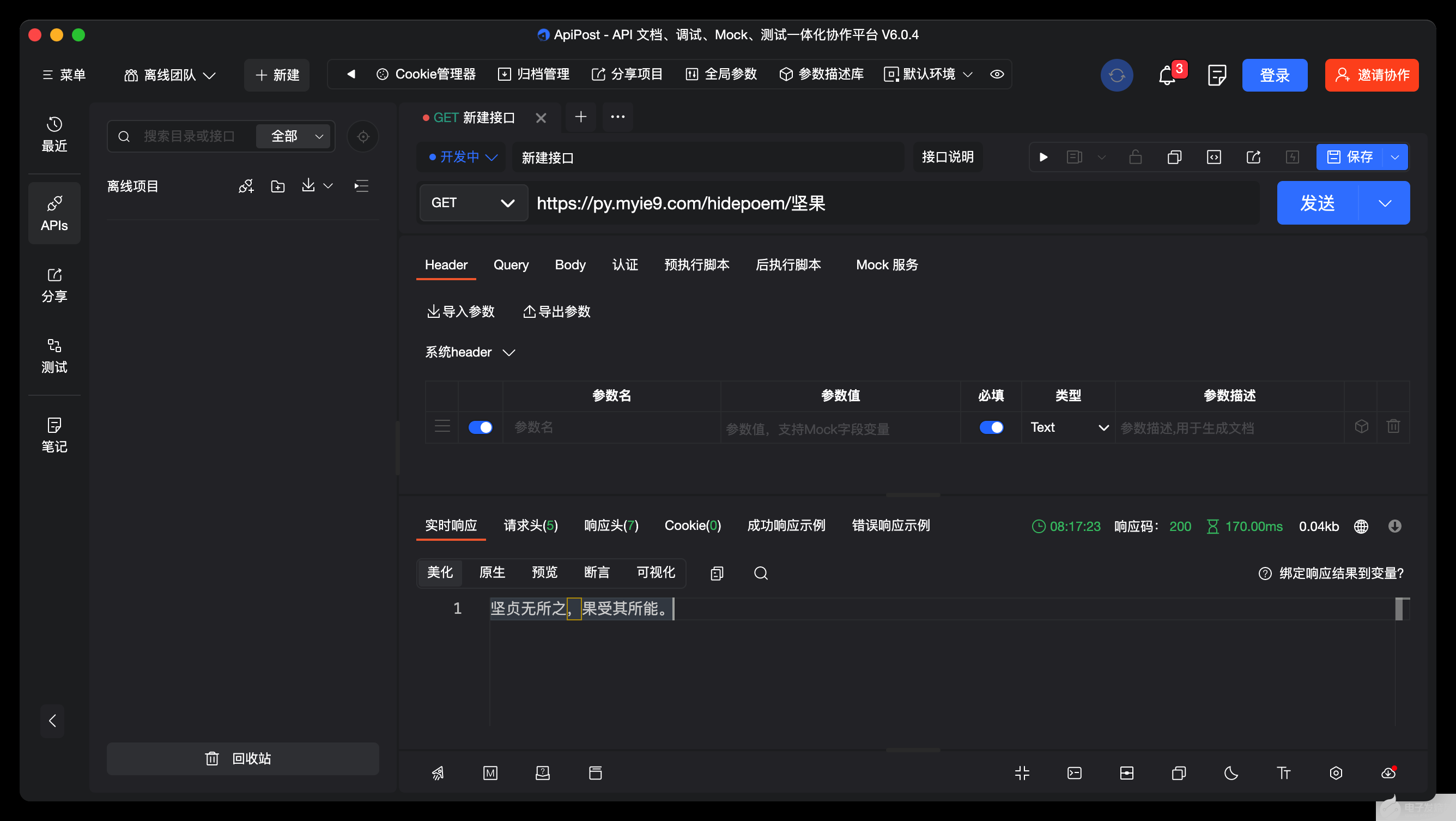
接口:
https://py.myie9.com/hidepoem/堅(jiān)果
請求方式:
Get
apipost請求測試
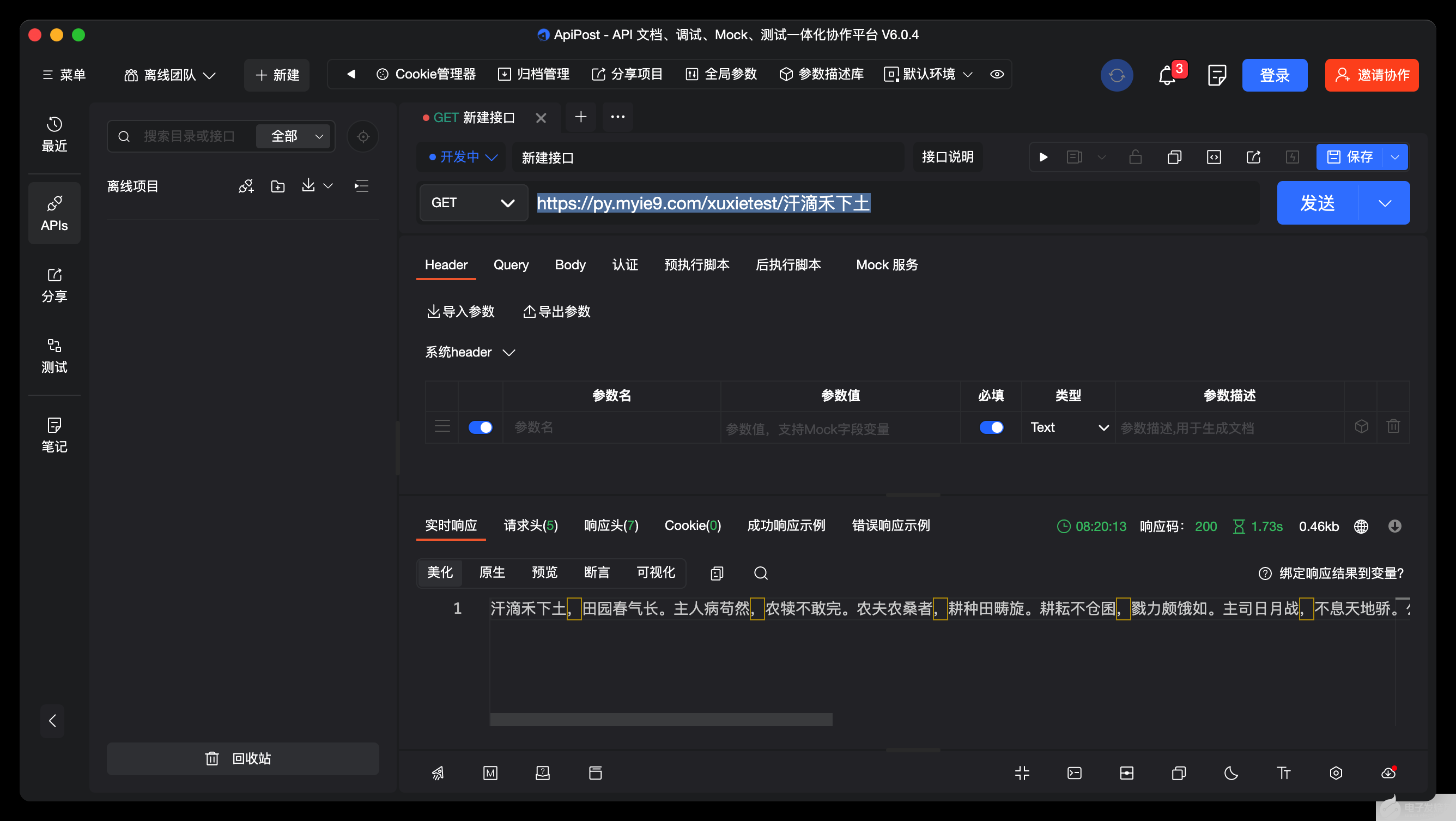
接口:
https://py.myie9.com/xuxietest/汗滴禾下土
apipost請求測試:
如何創(chuàng)建應(yīng)用在這里不做解釋。
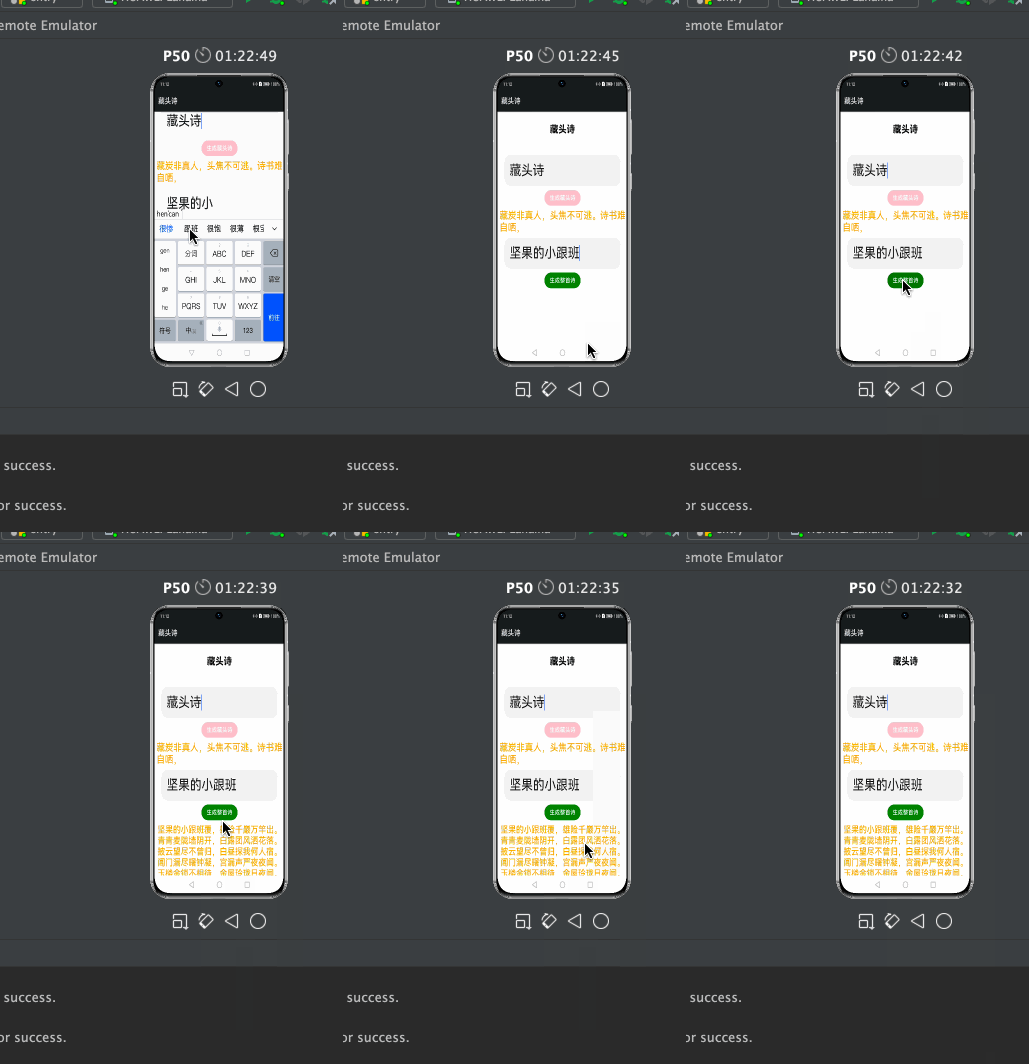
首先預(yù)覽一下應(yīng)用
注意點(diǎn):
允許https需要添加下面的配置
"deviceConfig": {
"default": {
"network": {
"cleartextTraffic": true
}
}
},
使用網(wǎng)絡(luò)請求在config.json添加權(quán)限:
"reqPermissions": [
{
"name": "ohos.permission.INTERNET"
}
],
完整代碼:
import http from '@ohos.net.http';
import RequestMethod from '@ohos.net.http';
import ResponseCode from '@ohos.net.http';
?
?
@Entry
@Component
struct Index {
@State tibetanContent: string = "堅(jiān)果的小跟班";
@State tibetanInput: string = "跟著堅(jiān)果學(xué)鴻蒙";
@State wholeContent: string = "";
@State wholeInput: string = "跟著堅(jiān)果學(xué)鴻蒙";
private scroller: Scroller = new Scroller()
?
?
?
onCancel() {
console.info('關(guān)閉')
}
?
?
?
build() {
Scroll(this.scroller) {
Column({ space: 10 }) {
Text($r("app.string.title"))
.fontSize(26)
.fontWeight(FontWeight.Bold)
.align(Alignment.Start)
.margin({ top: 20 })
?
TextInput({ placeholder: '請輸入要生成的內(nèi)容', })
.fontSize(36)
.enterKeyType(EnterKeyType.Go)
.onChange((value) => {
this.tibetanInput = value;
?
})
.height(80)
.margin({
top: 40,
left: 16,
right: 16
})
?
Button("生成藏頭詩").backgroundColor(Color.Pink)
.onClick(() => {
this.TibetanRequest();
?
})
Text(this.tibetanContent).fontSize(26).fontColor(Color.Orange)
TextInput({ placeholder: '請輸入要生成的內(nèi)容', })
.fontSize(36)
.enterKeyType(EnterKeyType.Go)
.onChange((value) => {
this.wholeInput = value;
?
})
.height(80)
.margin({
?
left: 16,
right: 16
})
Button("生成整首詩").backgroundColor(Color.Green)
.onClick(() => {
this.wholePoemRequest();
})
Text(this.wholeContent).fontSize(24).fontColor(Color.Orange)
}
.padding(10)
}
?
}
//藏頭詩接口
private TibetanRequest() {
let httpRequest = http.createHttp();
httpRequest.request(
"https://py.myie9.com/hidepoem/" + this.tibetanInput,
{
method: RequestMethod.RequestMethod.GET,
readTimeout: 15000,
connectTimeout: 15000,
},
(error, data) => {
if (error) {
console.log("error code: " + error.code + ", msg: " + error.message)
} else {
let code = data.responseCode
if (ResponseCode.ResponseCode.OK == code) {
this.tibetanContent = data.result.toString();
?
let header = JSON.stringify(data.header);
console.log("result: " + this.tibetanContent);
console.log("header: " + header);
} else {
console.log("response code: " + code);
}
?
}
}
?
);
}
?
//整首詩接口
private wholePoemRequest() {
let httpRequest = http.createHttp();
httpRequest.request(
"https://py.myie9.com/xuxietest/" + this.wholeInput,
{
method: RequestMethod.RequestMethod.GET,
readTimeout: 15000,
connectTimeout: 15000,
},
(error, data) => {
if (error) {
console.log("error code: " + error.code + ", msg: " + error.message)
} else {
let code = data.responseCode
if (ResponseCode.ResponseCode.OK == code) {
this.wholeContent = data.result.toString();
let header = JSON.stringify(data.header);
console.log("result: " + this.wholeContent);
console.log("header: " + header);
} else {
console.log("response code: " + code);
}
}
}
);
}
}
發(fā)起網(wǎng)絡(luò)請求
使用 @ohos.net.http 模塊發(fā)起網(wǎng)絡(luò)請求分為以下步驟:
引入http模塊
import
http
from
'@ohos.net.http'
;
創(chuàng)建一個(gè)httpRequest
let
httpRequest
=
http
.
createHttp
();
發(fā)起http請求
httpRequest 提供了兩種 request() 方法進(jìn)行網(wǎng)絡(luò)請求,分別是無 RequestOptions 參數(shù)的請求和有 RequestOptions 參數(shù)的請求。分別介紹如下:
無 RequestOptions 參數(shù)請求
-
//藏頭詩接口
private TibetanRequest() {
let httpRequest = http.createHttp();
httpRequest.request(
"https://py.myie9.com/hidepoem/" + this.tibetanInput,
{
method: RequestMethod.RequestMethod.GET,
readTimeout: 15000,
connectTimeout: 15000,
},
(error, data) => {
if (error) {
console.log("error code: " + error.code + ", msg: " + error.message)
} else {
let code = data.responseCode
if (ResponseCode.ResponseCode.OK == code) {
this.tibetanContent = data.result.toString();
?
let header = JSON.stringify(data.header);
console.log("result: " + this.tibetanContent);
console.log("header: " + header);
} else {
console.log("response code: " + code);
}
?
}
}
?
);
}
request() 方法默認(rèn)采用 get 方式請求。
上述代碼,重點(diǎn)是通過調(diào)用HTTP的AI接口,來獲取生成接口返回的詩的內(nèi)容,并顯示在應(yīng)用界面上。
修改應(yīng)用描述信息
默認(rèn)的應(yīng)用描述信息,集中在config.json文件中。
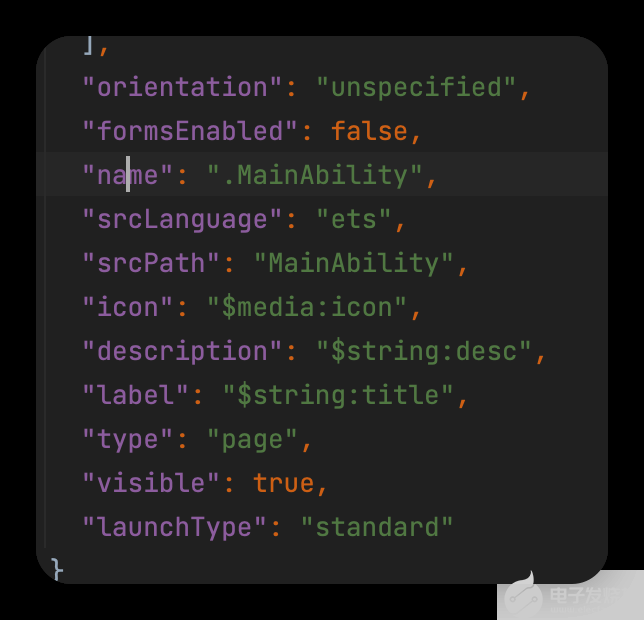
修改string.json內(nèi)容如下:
"srcLanguage": "ets",
"srcPath": "MainAbility",
"icon": "$media:icon", //應(yīng)用圖標(biāo)
"description": "$string:desc",
"label": "$string:title", //應(yīng)用名稱
"type": "page",
"visible": true,
"launchType": "standard"
這么有趣的應(yīng)用就這樣完成了,比起js開發(fā)方式,eTS是不是更為簡單呢。
-
HarmonyOS
+關(guān)注
關(guān)注
80文章
2153瀏覽量
36053 -
OpenHarmony
+關(guān)注
關(guān)注
33文章
3952瀏覽量
21102
發(fā)布評論請先 登錄
【原創(chuàng)】OpenHarmony系統(tǒng)投屏工具軟件 - OpenHarmony_OHScrcpy使用推薦





【OpenHarmony快速入門】本期視頻將介紹應(yīng)用開發(fā)初學(xué)者如何構(gòu)建一個(gè)簡單的應(yīng)用。
OpenHarmony年度課題管理辦法

2025 OpenHarmony TSC年中技術(shù)與生態(tài)研討會(huì)圓滿舉辦




 工商網(wǎng)監(jiān)
評論