


 如何更效率的創建Android BLE應用程序

步驟1:創建新的Android項目
打開Eclipse,打開File-》 New-》 Android Application Project ,然后在“應用程序名稱”編輯框中填寫應用程序名稱,例如BleExample或其他。最低必需的SDK選擇API18:Android 4.3,并且目標SDK也選擇API18:Android 4.3,因為buletooth 4.0必須具有Android 4.3版本或更高版本。其他默認保持不變,請繼續單擊“下一步”按鈕,直到出現“完成”按鈕,然后單擊“完成”按鈕。
步驟2:添加權限和服務
在清單文件中添加以下代碼:
步驟3:創建ListView項目布局文件
旨在顯示ListView的每個內容,此處我們使用自定義(自己定義),以便每個ListView可以顯示更多內容,item_list.xml如下所示:
將BleExample/com.elecfreaks.ble的源代碼復制到您的項目src目錄中,然后在出現錯誤提示的情況下按Shift + Ctrl + O鍵打開文件。
步驟4:修改Activity_main.xml,增加ScanButton和BleDeviceListView
增加的內容如下所示:
android:id=“@+id/scanButton”
android:layout_width=“fill_parent”
android:layout_height=“wrap_content”
android:onClick=“scanOnClick”
android:text=“scan” /》
android:id=“@+id/bleDeviceListView”
android:layout_width=“fill_parent”
android:layout_height=“wrap_content”
android:layout_alignLeft=“@+id/scanButton”
android:layout_below=“@+id/scanButton”
android:layout_above=“@+id/sendButton”
》
步驟5:在MainActivity.java中,添加響應事件的ScanButton方法
(onClick=“scanOnClick”)
public void scanOnClick(final View v){
}
步驟6:為MainActivity添加成員
private Button scanButton;
private ListView bleDeviceListView;
private BLEDeviceListAdapter listViewAdapter;
private BluetoothHandler bluetoothHandler;
private boolean isConnected;
步驟7:在MainActivity.onCreate中設置成員值
scanButton = (Button) findViewById(R.id.scanButton);
bleDeviceListView = (ListView)
findViewById(R.id.bleDeviceListView);
listViewAdapter = new BLEDeviceListAdapter(this);
bluetoothHandler = new BluetoothHandler(this);
bluetoothHandler.setOnConnectedListener(new
OnConnectedListener() {
@Override
public void onConnected(boolean isConnected) {
// TODO Auto-generated method stub
setConnectStatus(isConnected);
}
});
bluetoothHandler.setOnRecievedDataListener(new OnRecievedDataListener() {
@Override
public void onRecievedData(byte[] bytes) {
// TODO Auto-generated method stub
System.out.printf(“REC:”);
for(byte b:bytes)
System.out.printf(“%02X ”, b);
System.out.printf(“ ”);
}
});
步驟8:添加SetConnectStatus Mothod
public void setConnectStatus(boolean isConnected){
this.isConnected = isConnected;
if(isConnected){
showMessage(“Connection successful”);
scanButton.setText(“break”);
}else{
bluetoothHandler.onPause();
bluetoothHandler.onDestroy();
scanButton.setText(“scan”);
}
}
private void showMessage(String str){
Toast.makeText(MainActivity.this, str,
Toast.LENGTH_SHORT).show();
}
步驟9:在ScanOnClick中添加內容
if(!isConnected){
bleDeviceListView.setAdapter(bluetoothHandler.getDeviceListAdapter));
bleDeviceListView.setOnItemClickListener(new OnItemClickListener()
{
@Override
public void onItemClick(AdapterView parent, View view,
int position, long id) {
String buttonText = (String) ((Button)v).getText();
if(buttonText.equals(“scanning”)){
showMessage(“scanning.。.”){
return ;
}
BluetoothDevice device = bluetoothHandler.getDeviceListAdapter().getItem(position).device;
// connect
bluetoothHandler.connect(device.getAddress());
}
});
bluetoothHandler.setOnScanListener(new OnScanListener() {
@Override
public void onScanFinished() {
// TODO Auto-generated method stub
((Button)v).setText(“scan”);
((Button)v).setEnabled(true);
}
@Override
public void onScan(BluetoothDevice device, int rssi, byte[] scanRecord) {}
});
((Button)v).setText(“scanning”);
((Button)v).setEnabled(false);
bluetoothHandler.scanLeDevice(true);
}else{
setConnectStatus(false);
}
步驟10:發送數據
byte[] data = new byte[1];
data[0] = 0x02;
bluetoothHandler.sendData(data);
步驟11:接收數據
在接收到數據之后,
從bluetoothHandler.setOnRecievedDataListener()OnRecievedDataListener.onRecievedData(byte [] bytes)設置的OnRecievedDataListener.onRecievedData(byte [] bytes),字節表示接收到的數據
步驟12 :通過協議將數據發送到MCU。(在ElecFreaks中使用BLUNO)
在src目錄中,創建Transmitter.java,ad用以下兩個參數確定構造函數:
public Transmitter(Context context,
BluetoothHandler bluetoothHandler){
this.context = context;
this.mBluetoothHandler = bluetoothHandler;
}
如何添加sendData()?
private void sendData(byte[] bytes){
mBluetoothHandler.sendData(bytes);
}
步驟13:接收MCU協議數據
MCU數據接收和發送協議使用JSON數據包,格式為{“ T”:您的值,“ V”:您的值,…}。當然,您可以定義其他值。在src目錄中創建MyArray.java,以連接兩個陣列。代碼如下所示:
public class MyArray {
static public byte[] arrayCat(byte[] buf1,byte[] buf2){
byte[] bufret=null;
int len1 = 0;
int len2 = 0;
if(buf1 != null)
len1 = buf1.length;
if(buf2 != null)
len2 = buf2.length;
if(len1+len2 》 0)
bufret = new byte[len1+len2];
if(len1 》 0)
System.arraycopy(buf1, 0, bufret, 0, len1);
if(len2 》 0)
System.arraycopy(buf2, 0, bufret, len1, len2);
return bufret;
}
}
將示例代碼中的protocol.java復制到src目錄中,添加成員
private Protocol protocol
從onCreate(),刪除:
bluetoothHandler.setOnRecievedDataListener();
添加:
protocol = new Protocol(this, new Transmitter(this, bluetoothHandler));
protocol.setOnReceivedDataListener(recListener);
在MainActivity中添加成員:
private static final boolean INPUT = false;
private static final boolean OUTPUT = true;
private static final boolean LOW = false;
private static final boolean HIGH = true;
private boolean digitalVal[];
private int analogVal[];
在onCreate中初始化:
digitalVal = new boolean[14];
analogVal = new int[14];
private OnReceivedRightDataListener recListener = new
OnReceivedRightDataListener() {
@Override
public int onReceivedData(String str) {
// TODO Auto-generated method stub
try {
JSONObject readJSONObject = new JSONObject(str);
int type = readJSONObject.getInt(“T”);
int value = readJSONObject.getInt(“V”);
switch(type){
case Protocol.ANALOG:{
int pin = readJSONObject.getInt(“P”);
analogVal[pin] = value;
}break;
case Protocol.DIGITAL:{
int pin = readJSONObject.getInt(“P”);
digitalVal[pin] = (value》0)?HIGH:LOW;
}break;
case Protocol.TEMPERATURE:{
float temperature = ((float)value)/100;
}break;
case Protocol.HUMIDITY:{
float humidity = ((float)value)/100;
}break;
default:break;
}
} catch (JSONException e) {
// TODO Auto-generated catch block
e.printStackTrace();
}
return 0;
}
};
步驟14:使用協議發送數據
protocol.writeAnalogData(9, 20);
protocol.writeDigitalData(3, 1);
步驟15:使用協議接收數據
protocol.readAnalogDataCommand(9);
protocol.readDigitalDataCommand(3);
注意:返回的數據由recListener接收
請參閱提供的AndroidIOControl的示例代碼。
責任編輯:wv
-
Android
+關注
關注
12文章
4024瀏覽量
133977
發布評論請先 登錄
學生適合使用的SOLIDWORKS 云應用程序
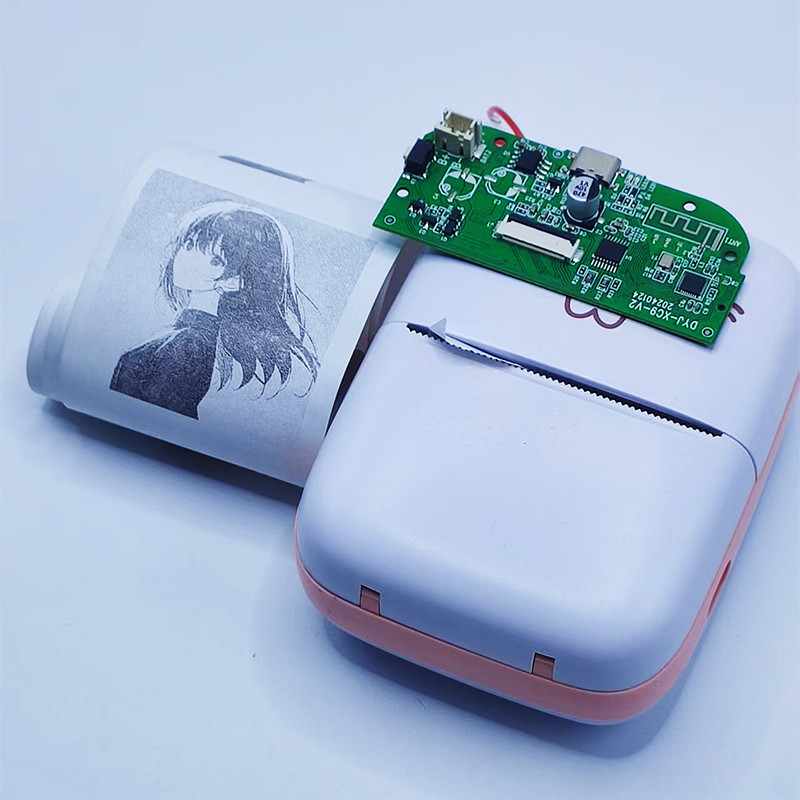
藍牙打印機電路怎么設計?芯片如何選型?APP和小程序的BLE通訊協議如何制定?
CY8C4128LQI-BL543無法掃描PC和Android手機,為什么?
外圍設備通過手機連接到BLE應用程序,為什么不能連接到Infineaon BLE?
如何查找 CYBT-213043-MESH 套件的 BLE 網格參考應用?
Android14在BLE中,當MTU超過 517時,如何處理數據傳輸?
ArkUI-X與Android消息通信
BLE連接未啟動的原因?
如何使用CYUSB3KIT-003使用GPIO訪問SRAM的應用程序?
如何在i.mx8mq的android13上啟用Widevine DRM?
【技術案例】Android in Docker




 工商網監
工商網監
評論