


 一起來看UE4材質節點大全

一、基礎常量
1. Constant

快捷鍵:1+鼠標左鍵
2. Constant2Vector

快捷鍵:2+鼠標左鍵
3. Constant3Vector

快捷鍵:3+鼠標左鍵
4. Constant4Vector

快捷鍵:4+鼠標左鍵
5. StaticBool

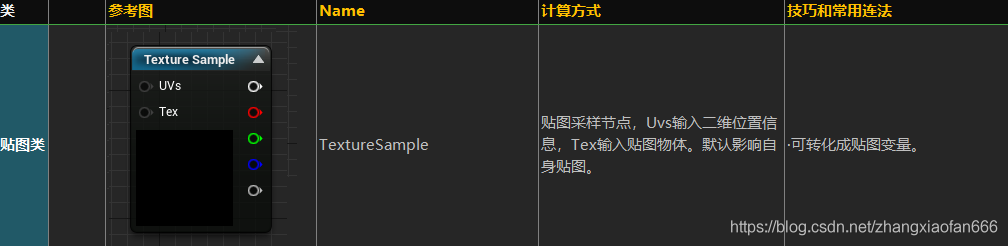
6. TextureSample
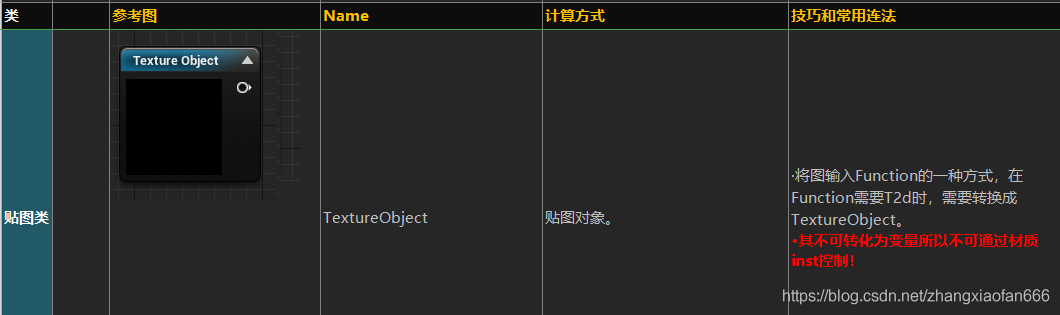
7. TestureObject
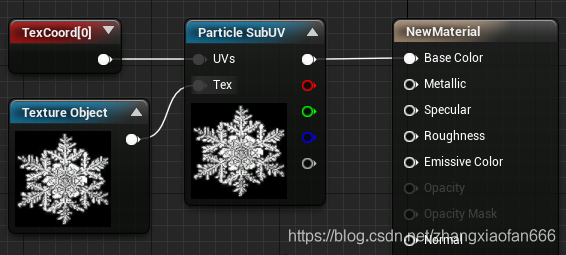
8. ParticleSubUV

用法
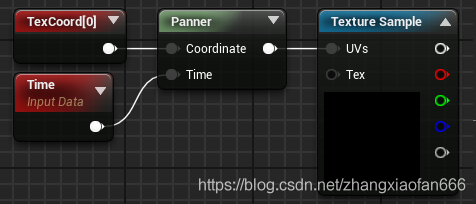
9. Time

10. TextureCoordinate

用法
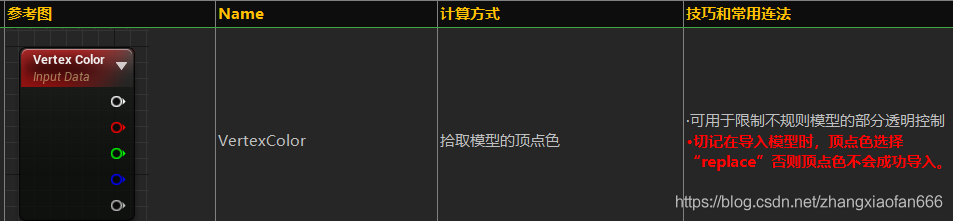
11. VertexColor
二、基礎變量(將常量提升為變量)
1. ScalarParameter

2. VectorParameter

3. TextureSmapleParameter2D

4. TextureSampleParameterSubUV

5. StaticSwitchParameter

6. Switch

三、運算節點
1. Add


3. Multiply

4. Divide

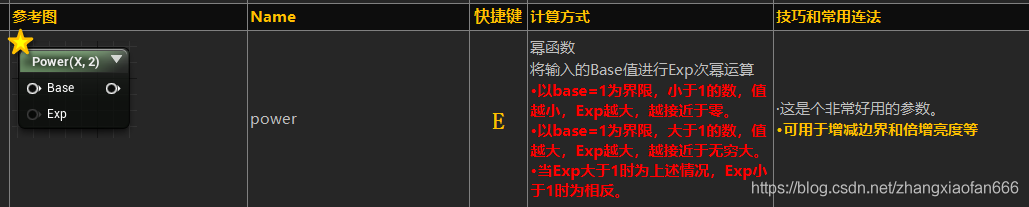
5. Power
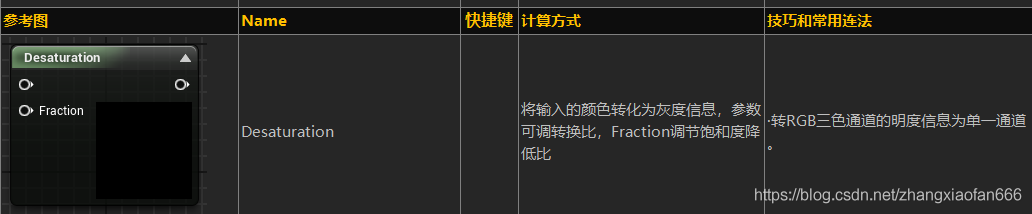
6. Desaturation
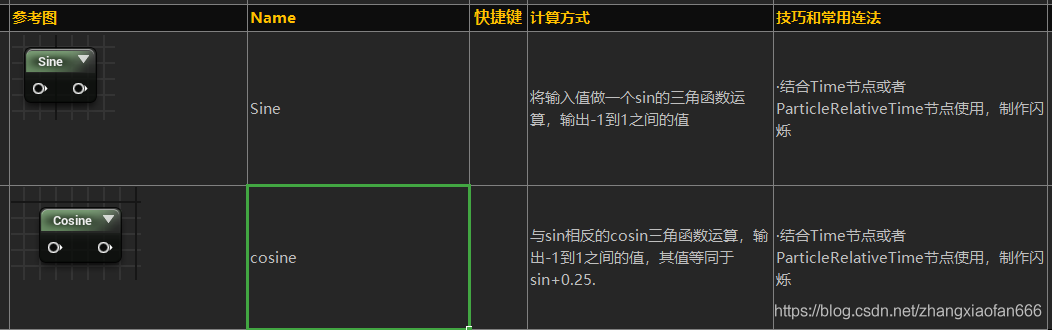
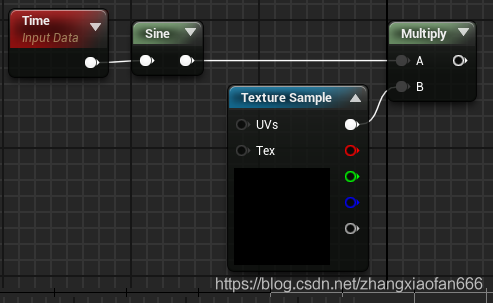
7. Sine
用法:
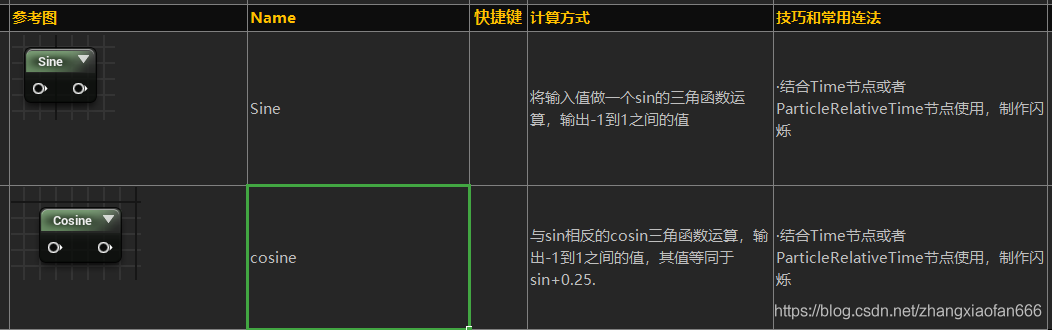
8. Cosine
9. ConstantBiasScale(無非是加了個1再乘以0.5)

10. LinearInterPolate

11. Switch

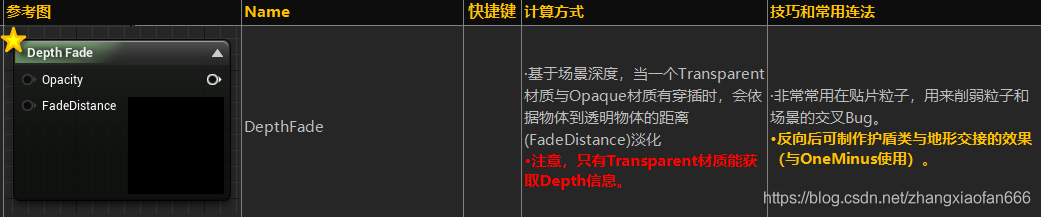
12. DepthFade
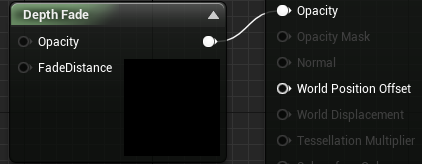
用法:
13. Fresnel

14. Dot

15. Abs

16. Clamp

四、高級輸入常量
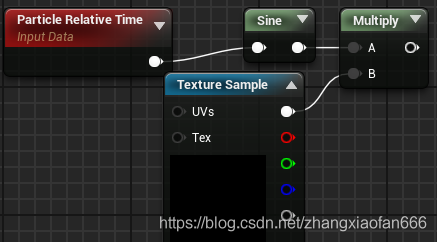
1. ParticleRelativeTime
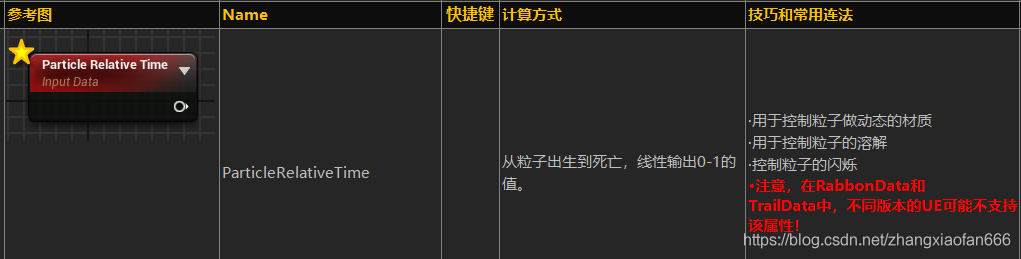
用法
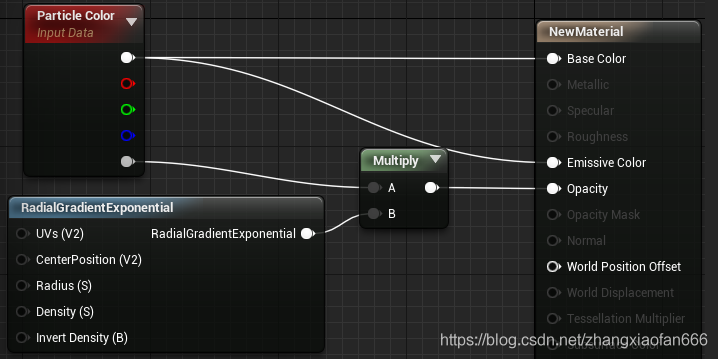
2. ParticleColor
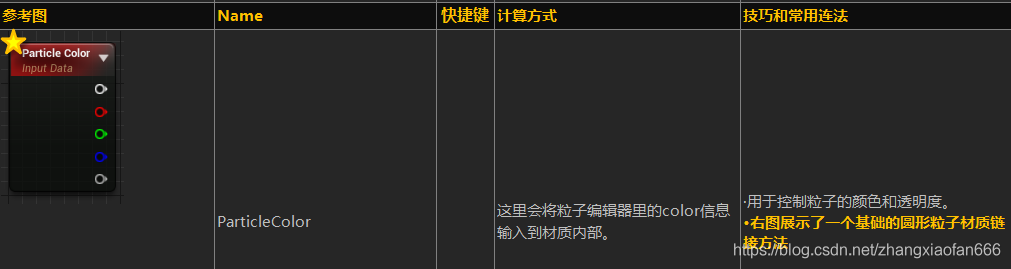
用法:
3. DynamicParameter
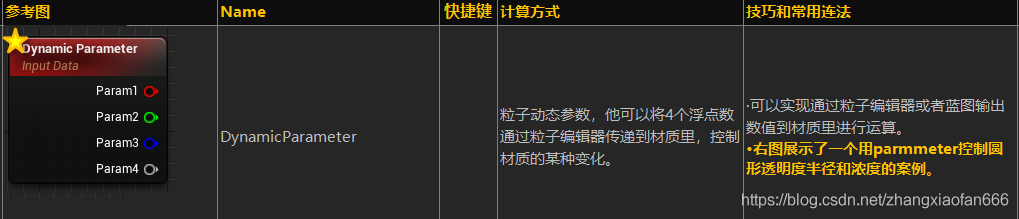
用法:
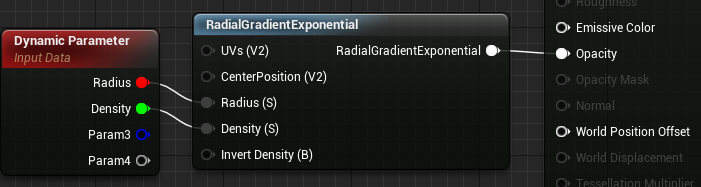
4. SceneTexture:SceneColor

5. CameraVector

用法:
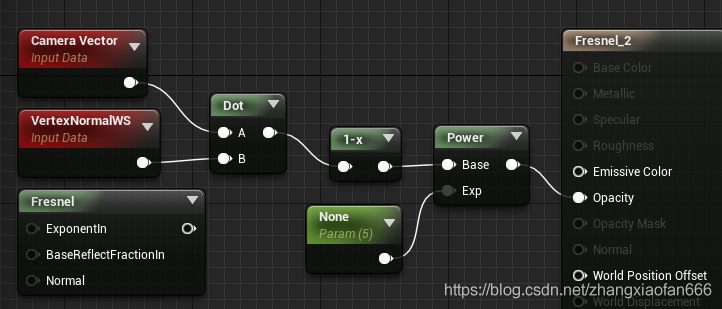
6. VertexNormalWS

五、函數節點
1. Input

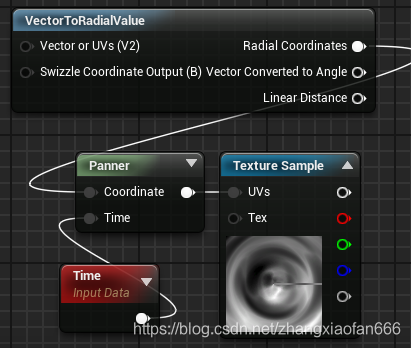
2. VectorToRadialValue
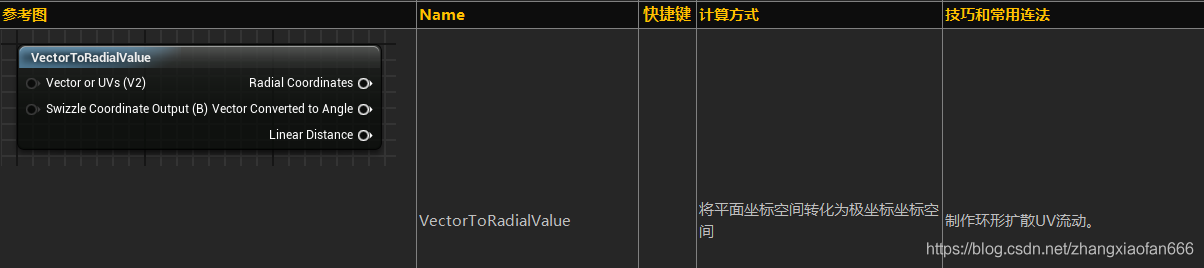
用法:
3. ScaleUVsByCenter

4. SimpleGrassWind

5. RadialGradientExponential

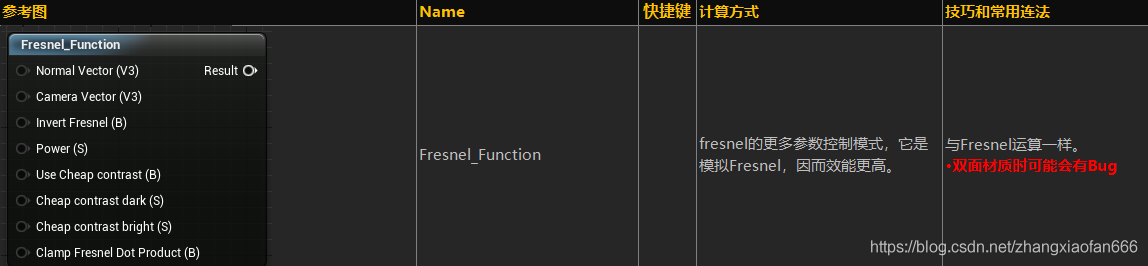
6. Fresnel_Function
來源:電子創新網
審核編輯:何安
-
虛幻引擎
+關注
關注
0文章
15瀏覽量
4283
發布評論請先 登錄
阿里狗16.6,層疊表能打開,但是打開后內容縮在一起,調整間距之后,關閉在打開還是縮在一起,怎么處理呢
回望2025:與162萬開發者一起,讓AI硬件觸手可及

活動邀請 | 2025 Maker Farie Shenzhen,跟M5Stack一起來造!

磁柵尺在數控機床領域的應用案例,一起來看看吧!
光纖能與電線一起走嗎

【版本控制教程】如何使用Unreal Engine 5 + UE源代碼控制(Perforce P4)




 工商網監
工商網監
評論