


 淘寶商品詳情頁數(shù)據(jù)接口設(shè)計(jì)與實(shí)現(xiàn):從合規(guī)采集到高效解析

??在電商數(shù)據(jù)分析、比價(jià)系統(tǒng)開發(fā)等場景中,商品詳情頁數(shù)據(jù)是核心基礎(chǔ)。本文將圍繞淘寶商品詳情頁數(shù)據(jù)接口的合規(guī)設(shè)計(jì)、高效采集與智能解析展開,提供一套可落地的技術(shù)方案,重點(diǎn)解決動(dòng)態(tài)渲染、參數(shù)加密與數(shù)據(jù)結(jié)構(gòu)化等關(guān)鍵問題。
一、接口設(shè)計(jì)原則與合規(guī)邊界
1. 核心設(shè)計(jì)原則
合規(guī)優(yōu)先:嚴(yán)格遵循 robots 協(xié)議,請求頻率控制在平臺(tái)允許范圍內(nèi)(建議單 IP 日均請求不超過 1000 次)
低侵入性:采用模擬正常用戶行為的采集策略,避免對目標(biāo)服務(wù)器造成額外負(fù)載
可擴(kuò)展性:接口設(shè)計(jì)預(yù)留擴(kuò)展字段,適應(yīng)平臺(tái)頁面結(jié)構(gòu)變更
容錯(cuò)機(jī)制:針對反爬策略變更,設(shè)計(jì)動(dòng)態(tài)參數(shù)自適應(yīng)調(diào)整模塊
2. 數(shù)據(jù)采集合規(guī)邊界
僅采集公開可訪問的商品信息(價(jià)格、規(guī)格、參數(shù)等)
不涉及用戶隱私數(shù)據(jù)與交易記錄
數(shù)據(jù)用途需符合《電子商務(wù)法》及平臺(tái)服務(wù)協(xié)議
明確標(biāo)識(shí)數(shù)據(jù)來源,不用于商業(yè)競爭或不正當(dāng)用途
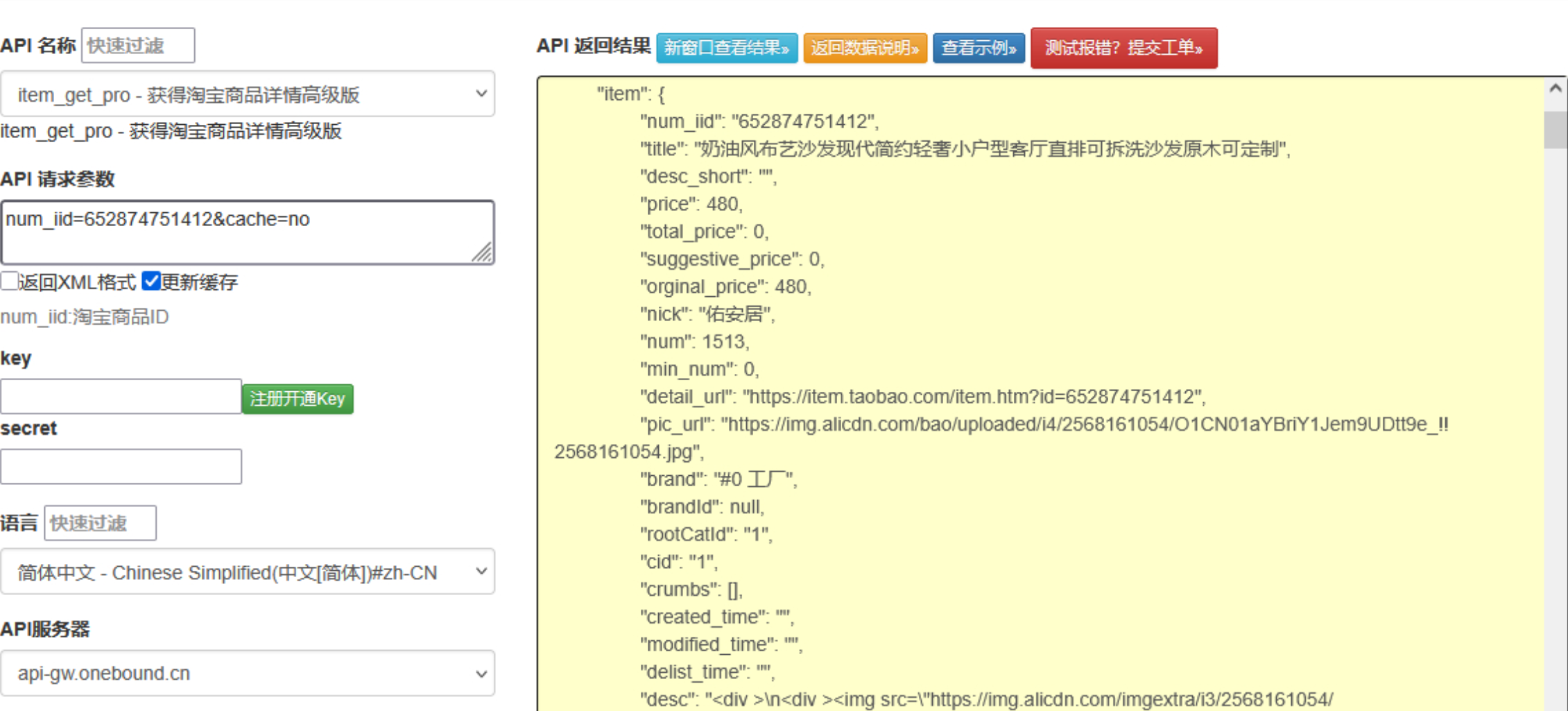
?點(diǎn)擊獲取key和secret
二、接口核心架構(gòu)設(shè)計(jì)
┌─────────────────┐ ┌─────────────────┐ ┌─────────────────┐
│ 請求調(diào)度層 │ │ 數(shù)據(jù)解析層 │ │ 存儲(chǔ)與緩存層 │
│ - 任務(wù)隊(duì)列 │───?│ - 動(dòng)態(tài)渲染處理 │───?│ - 結(jié)構(gòu)化存儲(chǔ) │
│ - 代理池管理 │ │ - 數(shù)據(jù)清洗 │ │ - 熱點(diǎn)緩存 │
│ - 頻率控制 │ │ - 異常處理 │ │ - 增量更新 │
└─────────────────┘ └─────────────────┘ └─────────────────┘
1. 請求調(diào)度層實(shí)現(xiàn)
核心解決動(dòng)態(tài)參數(shù)生成、IP 代理輪換與請求頻率控制問題:
運(yùn)行
import time
import random
import requests
from queue import Queue
from threading import Thread
from fake_useragent import UserAgent
class RequestScheduler:
def __init__(self, proxy_pool=None, max_qps=2):
self.proxy_pool = proxy_pool or []
self.max_qps = max_qps # 每秒最大請求數(shù)
self.request_queue = Queue()
self.result_queue = Queue()
self.ua = UserAgent()
self.running = False
def generate_headers(self):
"""生成隨機(jī)請求頭,模擬不同設(shè)備"""
return {
"User-Agent": self.ua.random,
"Accept": "text/html,application/xhtml+xml,application/xml;q=0.9,*/*;q=0.8",
"Accept-Language": "zh-CN,zh;q=0.9",
"Connection": "keep-alive",
"Upgrade-Insecure-Requests": "1",
"Cache-Control": f"max-age={random.randint(0, 300)}"
}
def get_proxy(self):
"""從代理池獲取可用代理"""
if not self.proxy_pool:
return None
return random.choice(self.proxy_pool)
def request_worker(self):
"""請求處理工作線程"""
while self.running or not self.request_queue.empty():
item_id, callback = self.request_queue.get()
try:
# 頻率控制
time.sleep(1 / self.max_qps)
# 構(gòu)建請求參數(shù)
url = f"https://item.taobao.com/item.htm?id={item_id}"
headers = self.generate_headers()
proxy = self.get_proxy()
# 發(fā)送請求
response = requests.get(
url,
headers=headers,
proxies={"http": proxy, "https": proxy} if proxy else None,
timeout=10,
allow_redirects=True
)
# 檢查響應(yīng)狀態(tài)
if response.status_code == 200:
self.result_queue.put((item_id, response.text, None))
if callback:
callback(item_id, response.text)
else:
self.result_queue.put((item_id, None, f"Status code: {response.status_code}"))
except Exception as e:
self.result_queue.put((item_id, None, str(e)))
finally:
self.request_queue.task_done()
def start(self, worker_count=5):
"""啟動(dòng)請求處理線程"""
self.running = True
for _ in range(worker_count):
Thread(target=self.request_worker, daemon=True).start()
def add_task(self, item_id, callback=None):
"""添加請求任務(wù)"""
self.request_queue.put((item_id, callback))
def wait_complete(self):
"""等待所有任務(wù)完成"""
self.request_queue.join()
self.running = False
2. 動(dòng)態(tài)渲染處理模塊
針對淘寶詳情頁的 JS 動(dòng)態(tài)渲染特性,采用無頭瀏覽器解決數(shù)據(jù)獲取問題:
python
運(yùn)行
from selenium import webdriver
from selenium.webdriver.chrome.options import Options
from selenium.webdriver.support.ui import WebDriverWait
from selenium.webdriver.support import expected_conditions as EC
from selenium.webdriver.common.by import By
from concurrent.futures import ThreadPoolExecutor
class DynamicRenderer:
def __init__(self, headless=True):
self.chrome_options = Options()
if headless:
self.chrome_options.add_argument("--headless=new")
self.chrome_options.add_argument("--disable-gpu")
self.chrome_options.add_argument("--no-sandbox")
self.chrome_options.add_argument("--disable-dev-shm-usage")
self.chrome_options.add_experimental_option(
"excludeSwitches", ["enable-automation"]
)
self.pool = ThreadPoolExecutor(max_workers=3)
def render_page(self, item_id, timeout=15):
"""渲染商品詳情頁并返回完整HTML"""
driver = None
try:
driver = webdriver.Chrome(options=self.chrome_options)
driver.get(f"https://item.taobao.com/item.htm?id={item_id}")
# 等待關(guān)鍵元素加載完成
WebDriverWait(driver, timeout).until(
EC.presence_of_element_located((By.CSS_SELECTOR, ".tb-main-title"))
)
# 模擬滾動(dòng)加載更多內(nèi)容
for _ in range(3):
driver.execute_script("window.scrollBy(0, 800);")
time.sleep(random.uniform(0.5, 1.0))
return driver.page_source
except Exception as e:
print(f"渲染失敗: {str(e)}")
return None
finally:
if driver:
driver.quit()
def async_render(self, item_id):
"""異步渲染頁面"""
return self.pool.submit(self.render_page, item_id)
3. 數(shù)據(jù)解析與結(jié)構(gòu)化
使用 XPath 與正則表達(dá)式結(jié)合的方式提取關(guān)鍵信息:
python
運(yùn)行
from lxml import etree
import re
import json
class ProductParser:
def __init__(self):
# 價(jià)格提取正則
self.price_pattern = re.compile(r'["']price["']s*:s*["']([d.]+)["']')
# 庫存提取正則
self.stock_pattern = re.compile(r'["']stock["']s*:s*(d+)')
def parse(self, html):
"""解析商品詳情頁HTML,提取結(jié)構(gòu)化數(shù)據(jù)"""
if not html:
return None
result = {}
tree = etree.HTML(html)
# 提取基本信息
result['title'] = self._extract_text(tree, '//h3[@class="tb-main-title"]/text()')
result['seller'] = self._extract_text(tree, '//div[@class="tb-seller-info"]//a/text()')
# 提取價(jià)格信息(優(yōu)先從JS變量提取)
price_match = self.price_pattern.search(html)
if price_match:
result['price'] = price_match.group(1)
else:
result['price'] = self._extract_text(tree, '//em[@class="tb-rmb-num"]/text()')
# 提取庫存信息
stock_match = self.stock_pattern.search(html)
if stock_match:
result['stock'] = int(stock_match.group(1))
# 提取商品圖片
result['images'] = tree.xpath('//ul[@id="J_UlThumb"]//img/@src')
result['images'] = [img.replace('//', 'https://').replace('_50x50.jpg', '')
for img in result['images'] if img]
# 提取規(guī)格參數(shù)
result['specs'] = self._parse_specs(tree)
# 提取詳情描述圖片
result['detail_images'] = tree.xpath('//div[@id="description"]//img/@src')
result['detail_images'] = [img.replace('//', 'https://')
for img in result['detail_images'] if img]
return result
def _extract_text(self, tree, xpath):
"""安全提取文本內(nèi)容"""
elements = tree.xpath(xpath)
if elements:
return ' '.join([str(elem).strip() for elem in elements if elem.strip()])
return None
def _parse_specs(self, tree):
"""解析商品規(guī)格參數(shù)"""
specs = {}
spec_groups = tree.xpath('//div[@class="attributes-list"]//li')
for group in spec_groups:
name = self._extract_text(group, './/span[@class="tb-metatit"]/text()')
value = self._extract_text(group, './/div[@class="tb-meta"]/text()')
if name and value:
specs[name.strip('::')] = value
return specs
三、緩存與存儲(chǔ)策略
為減輕目標(biāo)服務(wù)器壓力并提高響應(yīng)速度,設(shè)計(jì)多級(jí)緩存機(jī)制:
python
運(yùn)行
import redis
import pymysql
from datetime import timedelta
import hashlib
class DataStorage:
def __init__(self, redis_config, mysql_config):
# 初始化Redis緩存(短期緩存熱點(diǎn)數(shù)據(jù))
self.redis = redis.Redis(
host=redis_config['host'],
port=redis_config['port'],
password=redis_config.get('password'),
db=redis_config.get('db', 0)
)
# 初始化MySQL連接(長期存儲(chǔ))
self.mysql_conn = pymysql.connect(
host=mysql_config['host'],
user=mysql_config['user'],
password=mysql_config['password'],
database=mysql_config['db'],
charset='utf8mb4'
)
# 緩存過期時(shí)間(2小時(shí))
self.cache_ttl = timedelta(hours=2).seconds
def get_cache_key(self, item_id):
"""生成緩存鍵"""
return f"taobao:product:{item_id}"
def get_from_cache(self, item_id):
"""從緩存獲取數(shù)據(jù)"""
data = self.redis.get(self.get_cache_key(item_id))
return json.loads(data) if data else None
def save_to_cache(self, item_id, data):
"""保存數(shù)據(jù)到緩存"""
self.redis.setex(
self.get_cache_key(item_id),
self.cache_ttl,
json.dumps(data, ensure_ascii=False)
)
def save_to_db(self, item_id, data):
"""保存數(shù)據(jù)到數(shù)據(jù)庫"""
if not data:
return False
try:
with self.mysql_conn.cursor() as cursor:
# 插入或更新商品數(shù)據(jù)
sql = """
INSERT INTO taobao_products
(item_id, title, price, stock, seller, specs, images, detail_images, update_time)
VALUES (%s, %s, %s, %s, %s, %s, %s, %s, NOW())
ON DUPLICATE KEY UPDATE
title = VALUES(title), price = VALUES(price), stock = VALUES(stock),
seller = VALUES(seller), specs = VALUES(specs), images = VALUES(images),
detail_images = VALUES(detail_images), update_time = NOW()
"""
# 處理JSON字段
specs_json = json.dumps(data.get('specs', {}), ensure_ascii=False)
images_json = json.dumps(data.get('images', []), ensure_ascii=False)
detail_images_json = json.dumps(data.get('detail_images', []), ensure_ascii=False)
cursor.execute(sql, (
item_id,
data.get('title'),
data.get('price'),
data.get('stock'),
data.get('seller'),
specs_json,
images_json,
detail_images_json
))
self.mysql_conn.commit()
return True
except Exception as e:
self.mysql_conn.rollback()
print(f"數(shù)據(jù)庫存儲(chǔ)失敗: {str(e)}")
return False
四、反爬策略應(yīng)對與系統(tǒng)優(yōu)化
1. 動(dòng)態(tài)參數(shù)自適應(yīng)調(diào)整
針對淘寶的反爬機(jī)制,實(shí)現(xiàn)參數(shù)動(dòng)態(tài)調(diào)整:
python
運(yùn)行
class AntiCrawlHandler:
def __init__(self):
self.failure_count = {} # 記錄每個(gè)IP的失敗次數(shù)
self.success_threshold = 5 # 連續(xù)成功次數(shù)閾值
self.failure_threshold = 3 # 連續(xù)失敗次數(shù)閾值
def adjust_strategy(self, item_id, success, proxy=None):
"""根據(jù)請求結(jié)果調(diào)整策略"""
if success:
# 成功請求處理
if proxy:
self.failure_count[proxy] = max(0, self.failure_count.get(proxy, 0) - 1)
return {
"delay": max(0.5, 2.0 - (self.success_count.get(item_id, 0) / self.success_threshold))
}
else:
# 失敗請求處理
if proxy:
self.failure_count[proxy] = self.failure_count.get(proxy, 0) + 1
# 超過失敗閾值,標(biāo)記代理不可用
if self.failure_count[proxy] >= self.failure_threshold:
return {"discard_proxy": proxy, "delay": 5.0}
return {"delay": 5.0 + self.failure_count.get(proxy, 0) * 2}
2. 系統(tǒng)監(jiān)控與告警
實(shí)現(xiàn)關(guān)鍵指標(biāo)監(jiān)控,及時(shí)發(fā)現(xiàn)異常:
python
運(yùn)行
import time
import logging
class SystemMonitor:
def __init__(self):
self.metrics = {
"success_count": 0,
"failure_count": 0,
"avg_response_time": 0.0,
"proxy_failure_rate": 0.0
}
self.last_check_time = time.time()
self.logger = logging.getLogger("ProductMonitor")
def update_metrics(self, success, response_time):
"""更新監(jiān)控指標(biāo)"""
if success:
self.metrics["success_count"] += 1
else:
self.metrics["failure_count"] += 1
# 更新平均響應(yīng)時(shí)間
total = self.metrics["success_count"] + self.metrics["failure_count"]
self.metrics["avg_response_time"] = (
(self.metrics["avg_response_time"] * (total - 1) + response_time) / total
)
# 每100次請求檢查一次指標(biāo)
if total % 100 == 0:
self.check_health()
def check_health(self):
"""檢查系統(tǒng)健康狀態(tài)"""
failure_rate = self.metrics["failure_count"] / (
self.metrics["success_count"] + self.metrics["failure_count"] + 1e-9
)
# 失敗率過高告警
if failure_rate > 0.3:
self.logger.warning(f"高失敗率告警: {failure_rate:.2f}")
# 響應(yīng)時(shí)間過長告警
if self.metrics["avg_response_time"] > 10:
self.logger.warning(f"響應(yīng)時(shí)間過長: {self.metrics['avg_response_time']:.2f}s")
# 重置計(jì)數(shù)器
self.metrics["success_count"] = 0
self.metrics["failure_count"] = 0
五、完整調(diào)用示例與注意事項(xiàng)
1. 完整工作流程示例
python
運(yùn)行
def main():
# 初始化組件
proxy_pool = ["http://proxy1:port", "http://proxy2:port"] # 代理池
scheduler = RequestScheduler(proxy_pool=proxy_pool, max_qps=2)
renderer = DynamicRenderer()
parser = ProductParser()
# 初始化存儲(chǔ)
redis_config = {"host": "localhost", "port": 6379}
mysql_config = {
"host": "localhost",
"user": "root",
"password": "password",
"db": "ecommerce_data"
}
storage = DataStorage(redis_config, mysql_config)
# 啟動(dòng)調(diào)度器
scheduler.start(worker_count=3)
# 需要查詢的商品ID列表
item_ids = ["123456789", "987654321", "1122334455"]
# 添加任務(wù)
for item_id in item_ids:
# 先檢查緩存
cached_data = storage.get_from_cache(item_id)
if cached_data:
print(f"從緩存獲取商品 {item_id} 數(shù)據(jù)")
continue
# 緩存未命中,添加采集任務(wù)
def process_result(item_id, html):
if html:
# 解析數(shù)據(jù)
product_data = parser.parse(html)
if product_data:
# 保存到緩存和數(shù)據(jù)庫
storage.save_to_cache(item_id, product_data)
storage.save_to_db(item_id, product_data)
print(f"成功解析并保存商品 {item_id} 數(shù)據(jù)")
scheduler.add_task(item_id, callback=process_result)
# 等待所有任務(wù)完成
scheduler.wait_complete()
print("所有任務(wù)處理完成")
if __name__ == "__main__":
main()
?
審核編輯 黃宇
-
數(shù)據(jù)接口
+關(guān)注
關(guān)注
1文章
94瀏覽量
19424 -
API
+關(guān)注
關(guān)注
2文章
2380瀏覽量
66806
發(fā)布評(píng)論請先 登錄
接入淘寶店鋪所有商品接口后
京東商品詳情API接口詳解:獲取商品標(biāo)題、價(jià)格、庫存等核心數(shù)據(jù)
淘寶商品詳情API(tb.item_get)
閑魚商品詳情 API 接口文檔
標(biāo)題:技術(shù)實(shí)戰(zhàn) | 如何通過API接口高效獲取亞馬遜平臺(tái)商品詳情數(shù)據(jù)

京東商品詳情 ID(即 SKU ID)獲取商品詳細(xì)信息參數(shù)
淘寶商品詳情API接口:電商開發(fā)的利器
淘寶商品詳情API接口技術(shù)解析與實(shí)戰(zhàn)應(yīng)用
淘寶商品詳情API接口(淘寶 API系列)
5 大主流電商商品詳情解析實(shí)戰(zhàn)手冊:淘寶 / 京東 / 拼多多 / 1688 / 唯品會(huì)核心字段提取 + 反爬應(yīng)對 + 代碼示例
揭秘淘寶詳情 API 接口:解鎖電商數(shù)據(jù)應(yīng)用新玩法
VVIC 平臺(tái)商品詳情接口高效調(diào)用方案:從簽名驗(yàn)證到數(shù)據(jù)解析全流程
用淘寶 API 實(shí)現(xiàn)天貓店鋪商品詳情頁智能優(yōu)化



 工商網(wǎng)監(jiān)
評(píng)論